
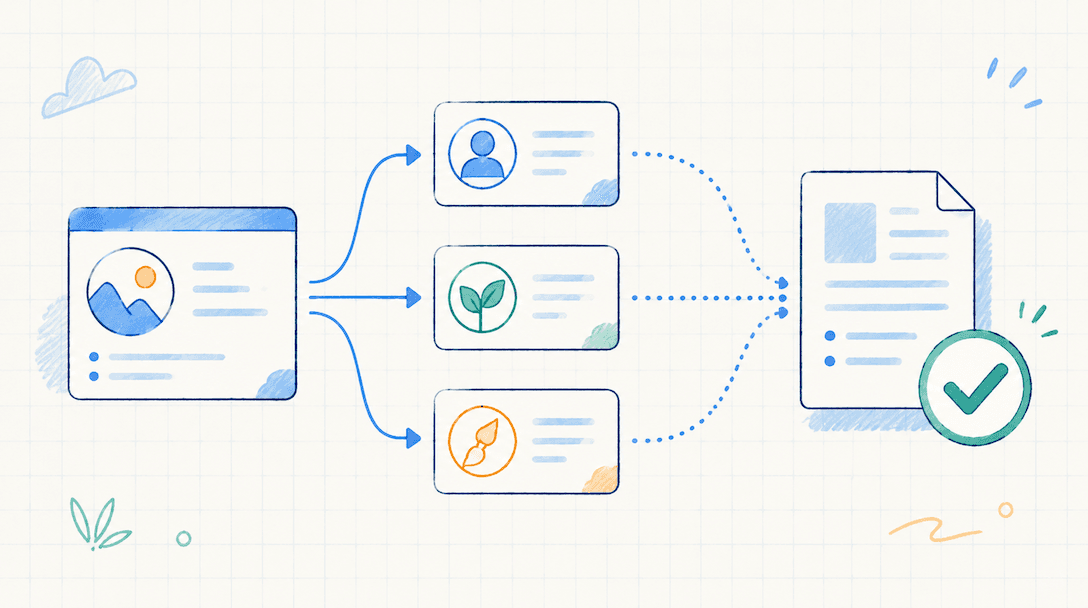
Codex Subagents work well when you can hand independent investigation, testing, and review to multiple subagents and have the main agent consolidate the results. When tasks have dependencies, or several agents edit the same file, adding agents tends to add coordination work. This article gives you task-splitting prompts you can adapt directly, along with acceptance methods. It does not present design examples as measured speedups.
How subagents get triggered in the current version
As of October 12, 2026, the official docs state that current local Codex versions enable subagent capability by default and show their activity in the desktop app, CLI, and IDE. Actual delegation is triggered by an explicit user request or by applicable AGENTS.md or Skill instructions. Simply saying "finish this task" does not count as asking for parallel work.
In your prompt, write "start two subagents," and state each one's scope, whether to wait for all results, and the summary format. Once you see activity, you can open a subagent thread to check progress, or explicitly ask to stop a particular branch. Older versions or organization policies may restrict the feature. If the entry point is missing, check your version and configuration first. Rewording the task description will not fix a loading problem.
Three questions to decide whether work can run in parallel
Is the input already settled? Does a subtask need another branch to produce a conclusion first? Can each deliverable be verified independently? Parallel work is worth it only when all three conditions hold. For example, a security review and a test-coverage review on the same commit can each read the code on their own. If the database fields are not yet decided, the API and UI work that depends on them should wait until the design is done.
The official advice is to start with read-heavy tasks such as code exploration, testing, issue triage, and summarization. Tests can also generate files or occupy ports, so state the working directory and resource boundaries before assigning them. Tests that touch a shared database, the same build directory, or a rate-limited service cannot automatically be treated as independent of each other.
A parallel review prompt you can adapt directly
Use the prompt below in a repository where the comparison baseline is already clear, and replace MAIN_REF with the actual branch or commit. Any file locations you cite must come from the repository, not from generic advice.
Start two subagents on the differences between the current branch and MAIN_REF, and wait for all of them to return before summarizing. Subagent A reviews only authentication, data leakage, and permission risks. Subagent B reviews only missing tests, boundary conditions, and regression risks. Both are read-only: no file changes, no commits, no deployments. For each finding, return the file path, location, trigger condition, impact, and a minimal fix suggestion. If there are no findings, state the scope that was checked. If the comparison baseline is missing or a necessary check cannot be run, return it as an incomplete item instead of guessing at results. The main agent verifies the evidence, merges duplicates, and outputs findings by severity.
This prompt suits review work and cannot be dropped straight into an implementation task. If you want subagents to modify code, you also need to specify which files they may change, the acceptance commands, and who is responsible for merging.
How to assign file ownership in implementation tasks
Suppose you are adding a form. The main agent first settles the interface and fields. A modifies only the form component. B modifies only the corresponding test file. The main agent maintains shared types, the dependency manifest, and routing configuration. If both branches need to change the same shared file, they report the need first and the owner handles it in one place. This division of labor is an example and does not mean any specific project has been tested successfully.
Give each file a single writer. Other agents can read it and offer suggestions. Separate worktrees isolate working directories, but merge conflicts can still happen, and they do not isolate shared databases or external services. After the final merge, run the full set of checks. Two local passes do not add up to an overall pass.
How the main agent collects and accepts results
Require each subagent to return the scope it checked, its findings and evidence, the changes it actually made, check results, and incomplete items. The main agent verifies sources and file locations, resolves conflicting conclusions, and then checks cross-module impact. If a test fails, state whether it is a pre-existing failure, an environment limitation, or a problem introduced by the new changes.
Even after a subagent reports "done," you may still need to follow up. Do not treat its summary as a test record. Key assertions should have a source, a command result, or a clear code path.
How to judge concurrency and cost
Every subagent consumes model and tool resources, and the official docs note that token usage is higher than in a comparable single-agent run. Start with two independent branches. Record total time from dispatch to summary, main-agent rework, duplicated work, and usage, then compare against a similar serial task. Without a consistent task and records, you cannot conclude that "four agents means four times faster."
If your team uses multiple models through a third-party API, you can view the corresponding request records in AICodeWith. That is model access and usage management. It does not replace task splitting, and it will not prevent file conflicts.
View the current AICodeWith integration docs
You can use one record template to save each evaluation: repository commit, task and acceptance commands, parallel branches and write paths, start and summary times, usage, duplicate findings, merge conflicts, manual revisions, and final check results. First build a serial baseline using the same kind of task on the same commit, then evaluate the gains from parallel work. What follows is a record structure, not measured results.
任务 / 基准提交:
执行方式:串行或并行;子代理数量:
完成耗时 / 用量:
重复工作 / 冲突 / 人工修订:
最终验收命令与结果:
AICodeWith request records can only help you cross-check model usage. They cannot automatically tell you which subtask was effective, nor attribute every request made with a shared key to a single branch. When you need attribution, compare task timing, dedicated test keys, and local task records. Do not write a drop in usage up as an improvement in task quality.
FAQ
Why didn't it start subagents automatically? Explicitly ask for delegation first, and check your current client and configuration. agents.enabled can affect availability. Once the entry point is available, check whether the task has clearly independent branches.
What if subagents have write conflicts? Stop further writes, keep both sets of changes, and have the main agent decide on the merged version and rerun the relevant checks. Do not let two branches keep overwriting each other.
Do I have to specify different models? No. Officially, subagents can inherit the parent agent's settings, and custom agents are also supported. Define the task boundaries first, then choose based on available models and the difficulty of the work. Do not infer results from model names.
Conclusion and related resources
Spell out the inputs, file boundaries, and acceptance criteria, then decide whether to run in parallel. For the same task, final completion time, rework, and cost records say more about whether the approach fits than the number of agents does.