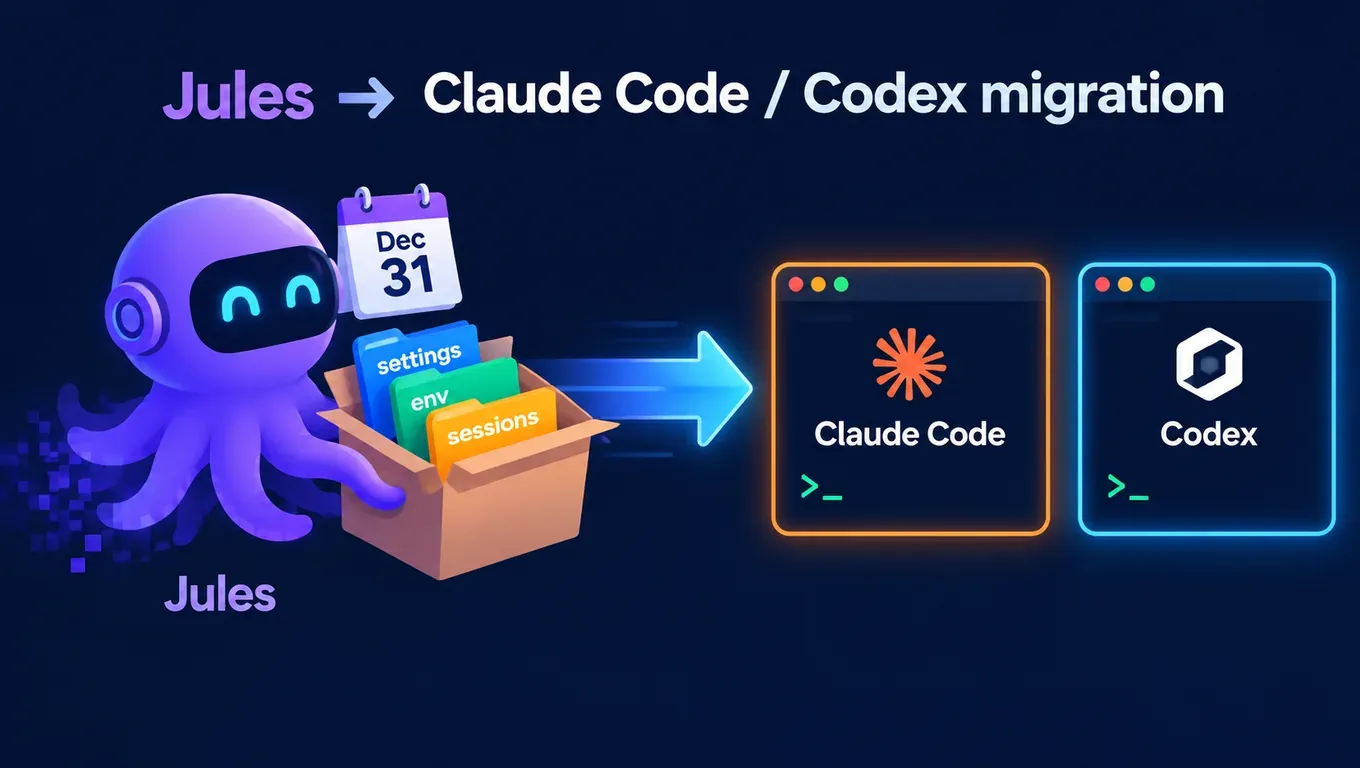
Short answer: According to the official Jules announcement, Google's asynchronous coding agent Jules shuts down on December 31, 2026 and becomes read-only after November 11. Your code, branches and PRs already live on GitHub and stay there. What you need to take with you is what lives inside Jules: settings, environment variables, scheduled tasks, memories, setup scripts and session history. Google ships an export tool, and the export can be handed straight to Claude Code or Codex.
We used one API Key to run the same job in Claude Code 2.1.310 and Codex 0.164.0: read a Jules export, apply a session patch, run setup and tests, then write AGENTS.md.
- Claude Code (claude-sonnet-5-5) finished in about 15 seconds; tests printed
ok. - Codex (gpt-6.1-sol) finished in about 44 seconds; tests printed
ok. - Both AGENTS.md files listed environment variable names only, never values.
Create an API Key and use one key for both Claude Code and Codex →
Timeline
| Date | Event |
|---|---|
| December 2024 | Google launches Jules, an agent that works through coding tasks in the background (according to The Verge) |
| October 29, 2026 | Google announces the shutdown and ships the data export |
| November 11, 2026 | Last day to keep running sessions; Jules turns read-only afterwards |
| December 31, 2026 | Jules shuts down |
According to the announcement, what Google learned from Jules goes into its agent-first platform, Google Antigravity. If you need a background agent today, both Claude Code and Codex can run unattended in a terminal or on a schedule.
Step 1: Export your Jules data (before November 11)
The official route is to install Jules Tools, sign in, open a CLI coding agent such as Claude Code from your home directory, and paste the full "export prompt" from the announcement:
npm install -g @google/jules
jules login
cd ~
claude   # or: codex
The agent checks the CLI and your login, runs the export script and reports how many repos, sessions and patches it saved. Things to watch (according to the announcement):
jules loginis an interactive browser sign-in, so run it yourself.- Connect your GitHub account to Jules first, or
sources.jsonwill be empty. - The access token expires after about an hour. If every call returns 401, run
jules loginagain.
The export folder looks like this:
~/jules-export/
├── user-settings.json
├── env-variables.json
├── scheduled-tasks.json
├── sources.json
├── repos/<repo>/setup.sh
├── repos/<repo>/test-command.txt
├── repos/<repo>/memories.md
└── sessions/<id>/summary.md · activities.json · patch-1.diff
env-variables.json holds your environment variable values in plain text. Keep it out of your repos and don't share it.
Step 2: Connect Claude Code and Codex
Claude Code goes in the global ~/.claude/settings.json:
{
  "env": {
    "ANTHROPIC_BASE_URL": "https://api.aicodewith.ai",
    "ANTHROPIC_AUTH_TOKEN": "YOUR_API_KEY",
    "APP_MODE": "test"
  },
  "model": "claude-sonnet-5-5"
}
The address is https://api.aicodewith.ai without /v1. Full steps: How to connect Claude Code to a third-party API.
Codex goes in the global ~/.codex/config.toml:
model = "gpt-6.1-sol"
model_provider = "aicodewith"

[model_providers.aicodewith]
name = "aicodewith"
base_url = "https://api.aicodewith.ai/chatgpt/v1"
wire_api = "responses"
experimental_bearer_token = "YOUR_API_KEY"

[shell_environment_policy]
set = { APP_MODE = "test" }
Field-by-field notes are in Codex API Key configuration and Codex config.toml explained. If Codex isn't installed yet, start with How to install Codex.
Step 3: Where each Jules item goes
| Jules export | Claude Code | Codex |
|---|---|---|
| env-variables.json | env in settings.json | set under [shell_environment_policy] in config.toml |
| repos/<repo>/setup.sh, test-command.txt | CLAUDE.md (can import @AGENTS.md) | AGENTS.md at the repo root |
| repos/<repo>/memories.md | append to CLAUDE.md | append to AGENTS.md |
| scheduled-tasks.json | cron + claude -p | cron + codex exec |
| sessions/<id>/patch-*.diff | git apply, then let the agent continue | same |
APP_MODE in the configs above is the example: copy each Jules environment variable over as one name and value line. For variables only one repo needs, use that repo's .claude/settings.json, and never commit a file that contains values.
To share one instructions file between both clients, see Sharing AGENTS.md between Claude Code and Codex.
Pick up unfinished sessions
Patches from unfinished Jules sessions sit under sessions/<id>/. Apply them in your repo, then run setup and tests:
cd ~/code/demo
git apply ~/jules-export/sessions/<id>/patch-1.diff
bash ~/jules-export/repos/<repo>/setup.sh
$(cat ~/jules-export/repos/<repo>/test-command.txt)
Then hand the Prompt and Latest plan from summary.md to the agent and let it continue from there.
Turn scheduled tasks into cron jobs
A Jules scheduled task is just a prompt that runs on a schedule. Use the non-interactive mode of Claude Code or Codex with cron:
# crontab -e
0 9 * * 1 cd ~/code/demo && claude -p "run tests and fix failures" --permission-mode acceptEdits >> ~/agent-cron.log 2>&1
0 9 * * 1 cd ~/code/demo && codex exec -s workspace-write "run tests and fix failures" >> ~/agent-cron.log 2>&1
--permission-mode acceptEdits lets Claude Code edit files; Codex's -s workspace-write only allows writes inside the current repo. Run each job once by hand before leaving it unattended.
Test: the same export in both clients
We built a small export in the official format: one Python repo, one unfinished session (a patch that fixes division by zero), a setup script, a test command, one environment variable APP_MODE, and a scheduled task for 9:00 every Monday. Then we gave both clients the same instruction: "Apply the patch, run setup and tests, write an AGENTS.md, and list environment variable names only."
| Claude Code 2.1.310 | Codex 0.164.0 | |
|---|---|---|
| Model | claude-sonnet-5-5 | gpt-6.1-sol |
| Run mode | claude -p | codex exec -s workspace-write |
| Time | about 15 s | about 44 s |
| Patch | applied cleanly | applied cleanly |
| Tests | ok | ok |
| AGENTS.md | lists APP_MODE only | lists APP_MODE only |
Both noticed that the system Python rejected pip install in the setup script (the script ends with || true, so it kept going), reported it honestly, and did not add --break-system-packages on their own. The AGENTS.md written by Claude Code:
# AGENTS.md
## Setup
pip install -q pytest || true
## Test
python3 test_calc.py
## Environment variables (names only)
- APP_MODE
## Scheduled task
0 9 * * 1  run tests and fix failures
After the test we deleted the test folders and the key configs inside them.
Create an API Key and move your Jules background tasks to Claude Code / Codex →
FAQ
Codex returns 401 Unauthorized
Usually the key wasn't read or is wrong. Check that experimental_bearer_token sits under [model_providers.aicodewith] and that model_provider = "aicodewith" is set. Step-by-step fixes: Codex 401 Unauthorized. For a 401 in Claude Code, check ANTHROPIC_AUTH_TOKEN and make sure the address has no /v1.
Scheduled jobs return 429 Too Many Requests
Several cron jobs firing in the same minute can hit the rate limit. Spread them a few minutes apart and see Codex 429 Too Many Requests.
Can I still export after November 11?
According to the announcement, Jules is read-only from November 11 until it shuts down at year end. It doesn't say whether export keeps working during that period, so export before November 11.
Will I lose my code?
No. According to the announcement, code, branches and PRs already live on GitHub and stay as they are. The export only covers the configuration and history stored inside Jules.