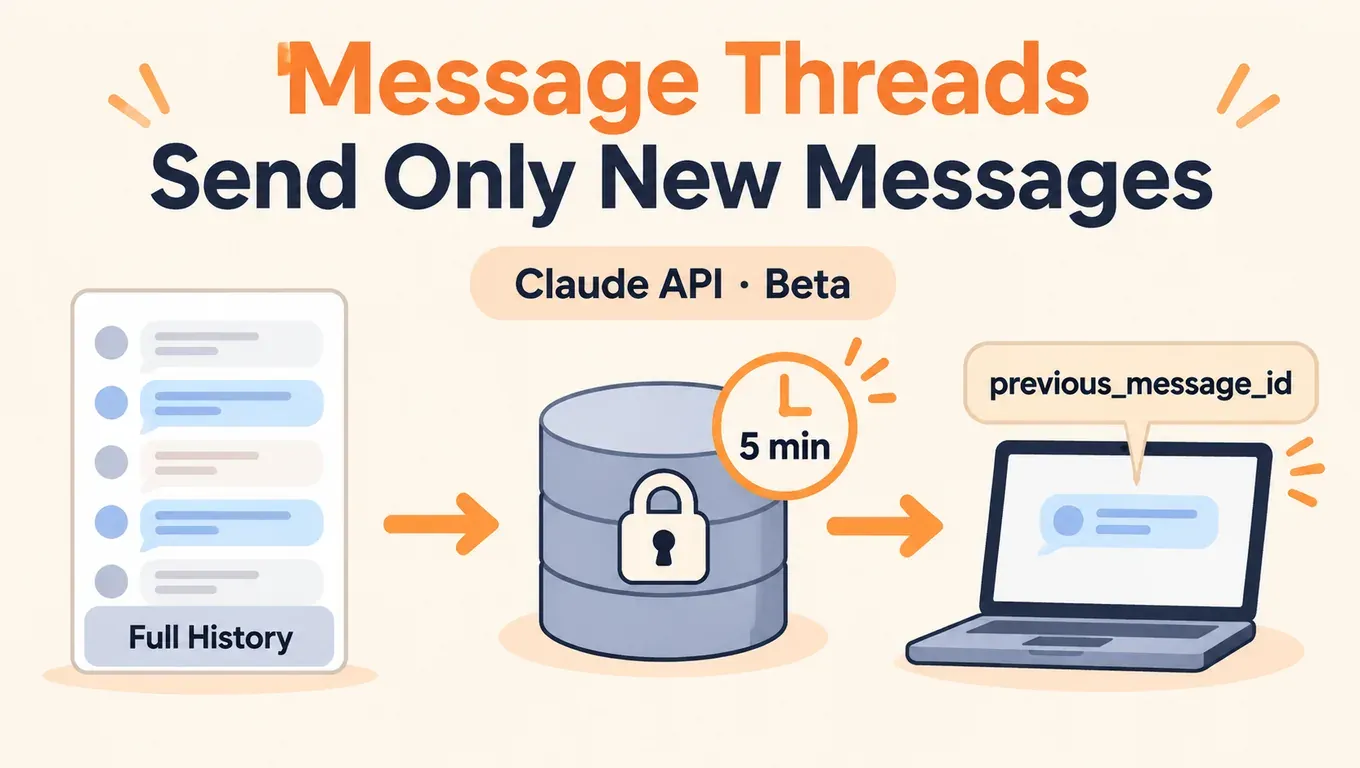
핵심만 먼저: Message Threads를 쓰면 Messages API가 대화를 서버에 잠시 보관합니다. 두 번째 턴부터는 새 메시지와 직전 응답의 id만 보내면 되므로 요청이 작아지고, 긴 대화에서도 Claude가 더 빨리 답하기 시작합니다. 줄어드는 것은 지연 시간이지 토큰이 아닙니다.
- Anthropic 릴리스 노트에 따르면 11월 2일부터 Messages API에서 메시지 스레드를 베타로 쓸 수 있습니다. 요청에는 베타 헤더
message-threads-2026-08-12와 본문의thread파라미터가 필요합니다. 스레드는 마지막 요청 후 5분이 지나면 만료되고, 마지막 사용 후 늦어도 1시간 안에 삭제됩니다. - Anthropic 공식 글에 따르면 대부분의 Claude Code 사용자에게는 이미 기본으로 켜져 있고, 50만~100만 토큰 요청에서 첫 토큰까지 걸리는 시간의 중앙값이 약 35% 줄었습니다. Claude는 매 턴 전체 대화를 읽으므로 토큰 사용량은 그대로이고, 과금과 속도 제한도 바뀌지 않습니다.
- 11월 3일 aicodewith Key로 실측한 결과, aicodewith를 거치면 현재
thread필드가 무시됩니다. 모든 요청이 200을 돌려주지만 이어서 보낸 턴에는 앞 맥락이 없어서, 모델이 앞에서 한 말을 기억하지 못합니다. 그러니 aicodewith로 호출할 때는 스레드를 쓰지 말고 평소처럼 전체 기록을 보내면서 prompt caching을 함께 쓰세요. Claude Code는 aicodewith에 스레드 요청을 보내지 않으므로 평소처럼 동작합니다.
API Key를 만들고 Claude Code, Codex, Cursor에서 Claude 연결하기 →
Message Threads란
Messages API는 대화를 기억하지 않습니다. 스레드가 없으면 에이전트는 매 턴 이전의 모든 메시지와 도구 결과를 다시 보내고, API도 이를 매번 다시 검증하고 토큰화합니다. 대화가 수십만 토큰이 되면 이것만으로도 첫 토큰이 늦어집니다.
공식 문서에 따르면 동작 방식은 이렇습니다. 첫 요청은 지금처럼 전체 대화, system, tools를 보내고 "thread": {"type": "create"}를 더합니다. API는 Claude의 응답을 포함한 대화를 그 응답의 id 아래에 저장합니다. 이후 턴에서는 직전 응답 이후의 메시지만 보내고 "thread": {"type": "continue", "previous_message_id": "..."}를 더합니다. API는 모델을 호출하기 전에 전체 대화를 다시 조립합니다. 돌아오는 응답은 평소의 message입니다.
| 스레드 없음 | 스레드 사용 | |
|---|---|---|
| 턴마다 요청 본문 | 전체 기록 + system + tools | 1턴은 전체, 이후에는 새 메시지 + 직전 응답 id만 |
| 첫 토큰까지 시간 | 대화가 길수록 느려짐 | 더 낮고 안정적, 대화가 길수록 효과가 큼 |
| 토큰 사용량 | 매 턴 전체 대화를 읽음 | 같음, 매 턴 전체 대화를 읽음 |
| 과금과 속도 제한 | 표준 | 변화 없음 |
| 대화를 누가 보관하나 | 내 애플리케이션 | 서버가 5분간 보관, 애플리케이션도 전체 사본을 유지 |
또 @dotey의 중국어 정리에 따르면 Anthropic 수치로 긴 대화의 요청 크기 중앙값이 약 800 KB에서 1.8 KB로 줄었습니다. @ClaudeDevs 공지는 11월 3일 새벽(베이징 시간) 기준 약 20.9만 회 조회, 좋아요 3,681개, 북마크 1,041개를 기록했고 X 트렌드에도 올랐습니다.
사용법: thread 파라미터와 베타 헤더
스레드의 모든 요청에 anthropic-beta: message-threads-2026-08-12가 필요합니다. 아래는 Anthropic 공식 API 기준 예시입니다(aicodewith는 뒤에서 다룹니다).
curl
# Turn 1: full conversation + system (+ tools), create a thread
curl -sS https://api.anthropic.com/v1/messages \
  -H "x-api-key: $ANTHROPIC_API_KEY" \
  -H "anthropic-version: 2023-06-01" \
  -H "anthropic-beta: message-threads-2026-08-12" \
  -H "content-type: application/json" \
  -d '{
    "model": "claude-opus-5-5",
    "max_tokens": 1024,
    "cache_control": {"type": "ephemeral"},
    "system": "You are a support agent for Acme. Keep replies short.",
    "messages": [{"role": "user", "content": "Hi! I have a question about an order."}],
    "thread": {"type": "create"}
  }'

# Turn 2: only the new message + the id of the turn 1 response
# (no system / tools here: the thread keeps them)
curl -sS https://api.anthropic.com/v1/messages \
  -H "x-api-key: $ANTHROPIC_API_KEY" \
  -H "anthropic-version: 2023-06-01" \
  -H "anthropic-beta: message-threads-2026-08-12" \
  -H "content-type: application/json" \
  -d '{
    "model": "claude-opus-5-5",
    "max_tokens": 1024,
    "cache_control": {"type": "ephemeral"},
    "messages": [{"role": "user", "content": "How long does standard shipping usually take?"}],
    "thread": {"type": "continue", "previous_message_id": "'"$MSG_ID"'"}
  }'
첫 응답의 id를 MSG_ID에 저장하고 두 번째 턴에서 이어 갑니다. 항상 가장 최근 응답의 id로 이어 가야 하며, 각 id는 한 번만 이어 갈 수 있습니다.
Python
공식 SDK에는 스레드 헬퍼 client.beta.messages.thread(...)가 있습니다. 베타 헤더를 붙이고, continue 요청에서 system과 tools를 빼며, 404가 오면 전체 대화를 한 번 다시 보냅니다. create에 thread를 직접 넘겨도 됩니다.
import anthropic

client = anthropic.Anthropic()  # official API, reads ANTHROPIC_API_KEY

# Option A: the SDK thread helper (adds the beta header, replays on 404 for you)
thread = client.beta.messages.thread(
    model="claude-opus-5-5",
    max_tokens=1024,
    cache_control={"type": "ephemeral"},
    system="You are a support agent for Acme. Keep replies short.",
)
thread.send({"role": "user", "content": "Hi! I have a question about an order."})
second = thread.send({"role": "user", "content": "How long does standard shipping usually take?"})
print(second.content[-1].text)

# Option B: send the thread field yourself
first = client.beta.messages.create(
    model="claude-opus-5-5", max_tokens=1024,
    cache_control={"type": "ephemeral"},
    system="You are a support agent for Acme. Keep replies short.",
    messages=[{"role": "user", "content": "Hi! I have a question about an order."}],
    thread={"type": "create"},
    betas=["message-threads-2026-08-12"],
)
second = client.beta.messages.create(
    model="claude-opus-5-5", max_tokens=1024,
    cache_control={"type": "ephemeral"},
    messages=[{"role": "user", "content": "How long does standard shipping usually take?"}],
    thread={"type": "continue", "previous_message_id": first.id},
    betas=["message-threads-2026-08-12"],
)
TypeScript
import Anthropic from "@anthropic-ai/sdk";

const client = new Anthropic(); // official API, reads ANTHROPIC_API_KEY

const thread = client.beta.messages.thread({
  model: "claude-opus-5-5",
  max_tokens: 1024,
  cache_control: { type: "ephemeral" },
  system: "You are a support agent for Acme. Keep replies short.",
});

await thread.send({ role: "user", content: "Hi! I have a question about an order." });
const second = await thread.send({
  role: "user",
  content: "How long does standard shipping usually take?",
});
for (const block of second.content) {
  if (block.type === "text") console.log(block.text);
}
요청마다 보내야 할 것
공식 문서는 필드를 세 종류로 나눕니다.
| 종류 | 필드 | 규칙 |
|---|---|---|
| create에서만 | system, tools | continue 요청에 넣으면(null이어도) 400 |
| 고정 | model, tool_choice, thinking, mcp_servers, context_management, output_config, 최상위 cache_control, anthropic-beta 값 조합 등 | 매 요청에 create와 같은 값으로 보내야 하며, 다르면 400 thread_fingerprint_mismatch |
| 턴마다 변경 가능 | max_tokens, stop_sequences, stream, metadata 등 | 매 턴 바꿔도 됨 |
시스템 프롬프트, 도구, 모델을 바꾸려면 전체 대화를 새 create 요청으로 보내 새 스레드를 시작해야 합니다.
만료와 재전송
스레드는 최선형(best-effort)입니다. 마지막 요청 후 5분이 지나면 만료되고, 그 뒤 continue 요청은 404를 돌려주며 error.details.error_code는 thread_not_found입니다. 이때는 내가 보관한 사본으로 전체 대화를 새 create 요청에 담아 보내고, 새 id부터 이어 갑니다. 그래서 대화의 전체 사본을 반드시 로컬에 남겨 두고, 재전송 로직을 처음부터 넣어 두어야 합니다. 공식 SDK 헬퍼는 한 번 자동으로 재전송합니다.
돈이 절약되나: 아니요, 지연 시간이 줄어듭니다
공식 문서에 따르면 스레드는 과금도 속도 제한도 바꾸지 않습니다. 요청은 작아지지만 Claude는 매 턴 전체 대화를 읽으므로 입력 토큰은 이전과 같습니다.
같은 토큰을 다시 처리하지 않으려면 prompt caching이 필요합니다. 스레드가 대신 캐시해 주지는 않습니다. 공식 예시는 매 요청에 최상위 cache_control: {"type": "ephemeral"}를 붙여서, 각 턴이 이전 대화를 캐시에서 읽고 새 턴을 캐시에 씁니다. 둘은 보완 관계입니다. 스레드는 업로드를, 캐시는 반복 처리를 줄입니다.
Anthropic 글에 따르면 잘 맞는 경우는 오래 도는 코딩 에이전트, 매 턴 스크린샷을 다루는 computer use 에이전트, 문서와 이미지가 많은 대화입니다. 짧은 대화에서는 효과가 작습니다.
Claude Code에서 달라진 점
Anthropic 공식 글에 따르면 대부분의 Claude Code 사용자에게는 이미 메시지 스레드가 기본으로 켜져 있고, 35%라는 수치도 여기서 나왔습니다. 사용자가 설정을 바꿀 필요는 없습니다.
로컬 프록시로 Claude Code 2.1.316이 사용자 지정 ANTHROPIC_BASE_URL로 aicodewith에 연결했을 때 보내는 요청을 기록했습니다. 파일 두 개를 읽는 작업에서 요청이 3번 나갔고, 어느 요청에도 thread 필드가 없었고 베타 헤더에도 message-threads-2026-08-12가 없었습니다. 메시지 수는 2, 4, 6으로 늘었고 매번 전체 기록(약 46 KB)을 보냈으며 작업은 정상적으로 끝났습니다. 즉 서드파티 base URL에서는 Claude Code가 기존 방식대로 동작하고, 스레드 때문에 문제가 생기지 않습니다.
연결 방법:
export ANTHROPIC_BASE_URL="https://api.aicodewith.ai"
export ANTHROPIC_AUTH_TOKEN="YOUR_API_KEY"
claude --model claude-opus-5-5
설정을 영구 저장하거나 Windows에서 설정하는 방법은 「Claude Code를 서드파티 API에 연결하는 방법」을 참고하세요. 긴 세션에서 조금 더 빠르게 하고 싶다면 effort를 낮추는 방법도 있습니다. 「Claude Opus 5.5 effort 선택법」을 보세요.
Message Threads는 Claude Messages API의 기능이며, Codex는 OpenAI의 API를 쓰므로 해당하지 않습니다. Codex SDK에도 「스레드」가 있지만 이는 클라이언트 쪽 세션을 이어 가는 기능으로, 여기서 말하는 서버 쪽 임시 보관과는 다릅니다. 「Codex SDK 입문: TypeScript 호출, 스트리밍 이벤트, 스레드 재개」를 참고하세요.
aicodewith로 쓸 수 있나: 실측 결과
2026년 11월 3일 새벽(베이징 시간), aicodewith Key와 모델 claude-opus-5-5, 헤더 message-threads-2026-08-12로 aicodewith의 Anthropic 호환 엔드포인트 https://api.aicodewith.ai/v1/messages를 호출해 공식 예시대로 하나씩 확인했습니다.
| 테스트 | 공식 API에서 기대되는 결과 | aicodewith를 통한 실제 결과 |
|---|---|---|
| create: 전체 대화 + thread: create | 200, 스레드 생성 | 200, 정상 응답 |
| continue: 새 메시지 + 직전 id | 200, 모델이 앞 맥락을 봄 | 200, 하지만 input_tokens가 27이고 앞 맥락 없음 |
| 같은 id를 두 번째로 이어 가기 | 400 thread_already_continued | 200 |
| 존재하지 않는 previous_message_id | 404 thread_not_found | 200 |
| continue에 system 포함 | 400 | 200 |
| Python SDK 2.4.0 스레드 헬퍼 | 2턴이 1턴을 기억 | 2턴에서 「주문 번호가 없다」고 답함 |
이어서 보낸 턴의 실제 응답(발췌):
Turn 1 (create):  "Hi! I have a question about an order."
  -> 200, "Happy to help. What's your order number, and what's the question about it?"
Turn 2 (continue, previous_message_id = turn 1 id):
  "How long does standard shipping usually take? Also, what did I say my question was about?"
  -> 200, input_tokens: 27
  -> "...As for your question, you didn't say what it was about beyond asking about standard shipping..."
결론: aicodewith는 현재 메시지 스레드를 지원하지 않으며 thread 필드를 없는 것처럼 처리합니다. 각 요청은 독립된 단일 요청으로 처리됩니다. 주의할 점은 오류가 나지 않는다는 것입니다. SDK 헬퍼는 404를 받지 못하니 재전송도 하지 않고, 대화는 조용히 맥락을 잃습니다. 따라서 aicodewith로 호출할 때는 요청에 thread를 넣지 말고 client.beta.messages.thread(...)도 쓰지 마세요.
대안: 전체 기록 + prompt caching
평소처럼 매 턴 전체 기록을 보내고 최상위 cache_control을 붙여 자동 캐싱을 켭니다. 같은 aicodewith Key로 3턴을 돌렸습니다(시스템 프롬프트 약 7,500토큰).
| 턴 | 입력(캐시 제외) | 캐시 쓰기 | 캐시 읽기 | 소요 시간 | 응답 |
|---|---|---|---|---|---|
| 1 | 24 | 7,568 | 0 | 4.0초 | 정상 |
| 2 | 8 | 1,541 | 6,163 | 4.4초 | 정상 |
| 3 | 8 | 1,560 | 6,240 | 3.5초 | 「Your order number is A-1042.」 |
2, 3턴은 캐시에 적중했고, 3턴은 1턴에서 준 주문 번호를 정확히 답했습니다. Python 예시:
import anthropic

client = anthropic.Anthropic(
    base_url="https://api.aicodewith.ai",
    api_key="YOUR_API_KEY",
)

SYSTEM = "You are a support agent for Acme. Keep replies short.\n\n" + open("policy.md").read()
history = [{"role": "user", "content": "Hi! My order number is A-1042 and it hasn't shipped yet."}]

def turn(next_user_message=None):
    r = client.messages.create(
        model="claude-opus-5-5",
        max_tokens=1024,
        cache_control={"type": "ephemeral"},  # automatic caching: moves forward each turn
        system=SYSTEM,
        messages=history,                       # full history, no thread field
    )
    history.append({"role": "assistant", "content": [b.model_dump(exclude_none=True) for b in r.content]})
    if next_user_message:
        history.append({"role": "user", "content": next_user_message})
    u = r.usage
    print(u.input_tokens, u.cache_creation_input_tokens, u.cache_read_input_tokens)
    return r

turn("When will it ship?")
turn("What was my order number again?")
turn()
TypeScript도 같은 방식으로, 전체 기록을 messages에 넣습니다.
import Anthropic from "@anthropic-ai/sdk";

const client = new Anthropic({
  baseURL: "https://api.aicodewith.ai",
  apiKey: "YOUR_API_KEY",
});

const history: Anthropic.MessageParam[] = [
  { role: "user", content: "Hi! My order number is A-1042 and it hasn't shipped yet." },
];

const r = await client.messages.create({
  model: "claude-opus-5-5",
  max_tokens: 1024,
  cache_control: { type: "ephemeral" },
  system: "You are a support agent for Acme. Keep replies short.",
  messages: history, // full history every turn, no thread field
});
history.push({ role: "assistant", content: r.content });
console.log(r.usage);
엔드포인트가 정말 스레드를 지원하는지 확인하기
존재할 수 없는 previous_message_id로 continue를 보내 보세요. 공식 API라면 404 thread_not_found가 옵니다. 200과 정상 응답이 오면 그 엔드포인트는 thread를 무시하는 것입니다.
# continue from an id that cannot exist
curl -sS https://api.aicodewith.ai/v1/messages \
  -H "x-api-key: YOUR_API_KEY" \
  -H "anthropic-version: 2023-06-01" \
  -H "anthropic-beta: message-threads-2026-08-12" \
  -H "content-type: application/json" \
  -d '{"model":"claude-opus-5-5","max_tokens":200,"cache_control":{"type":"ephemeral"},
       "messages":[{"role":"user","content":"Hi"}],
       "thread":{"type":"continue","previous_message_id":"msg_doesnotexist123"}}'
# official API: 404, error.details.error_code = "thread_not_found"
# a gateway that ignores thread: 200 and a normal reply
나중에 aicodewith가 스레드를 지원하게 되면, 애플리케이션 코드를 건드리지 않고 이 명령으로 확인할 수 있습니다.
자주 보는 오류
공식 문서에 따르면 아래 오류는 모델 실행 전에 반환되며, 토큰을 쓰지 않고 스레드와 만료 시각도 바뀌지 않습니다.
404 thread_not_found
스레드가 만료됐거나(5분간 요청 없음), 직전 턴이 저장되지 않았거나, 직전 응답을 폴백 모델이 썼거나, 직전 응답이 아직 생성 중이거나, 다른 API Key·조직·워크스페이스에서 요청한 경우입니다. 해결: 전체 대화를 새 create 요청으로 보냅니다. 존재하지 않는 모델을 요청해도 404가 오므로, 재전송 전에 error.details.error_code를 확인하세요.
{
  "type": "error",
  "error": {
    "type": "not_found_error",
    "message": "...",
    "details": { "error_code": "thread_not_found" }
  },
  "request_id": "req_..."
}
400 thread_fingerprint_mismatch
고정 필드가 create 때와 다릅니다. 예를 들어 model이나 thinking을 바꿨거나, 최상위 cache_control을 바꿨거나, 베타 헤더를 하나 더하거나 뺀 경우입니다. 오류 메시지에 다른 필드가 표시됩니다. 바꾸려면 새 스레드를 시작하세요.
400 thread_already_continued / thread_continue_in_flight
같은 응답 id는 한 번만 이어 갈 수 있거나, 이전 continue 요청이 아직 실행 중입니다. 항상 가장 최근 응답 id로 이어 가세요. 스트리밍에서는 message_stop 이벤트를 받은 뒤에 이어 가야 하며, 너무 일찍 보내면 404가 올 수 있습니다.
400 thread_unsupported_request
스레드가 지원하지 않는 기능을 썼습니다. cache_control 브레이크포인트가 4개를 넘는 경우(최상위도 1개로 셈), 온디맨드 compaction, 대부분의 context editing, HIPAA나 Inference hooks가 켜진 조직 등입니다. Message Batches와 토큰 카운트도 thread를 받지 않습니다. 그 기능을 빼거나 thread 없이 전체 대화를 보내세요.
continue 요청에 system이나 tools를 넣음
error_code 없는 400이 옵니다. continue에서는 새 메시지만 보내고, system과 tools는 스레드가 보관합니다.
aicodewith를 거쳐 이어서 보낸 턴이 맥락을 잃음
aicodewith가 현재 thread를 무시하기 때문이며 오류는 나지 않습니다. thread를 빼고 위에서 설명한 전체 기록 + cache_control 방식으로 돌아가세요.
데이터 보관과 제한
- 공식 문서에 따르면 스레드는 암호화되어 메모리에 보관되고, 영구 저장소에는 쓰이지 않으며, 마지막 사용 후 늦어도 1시간 안에 삭제됩니다. 제로 데이터 보존(ZDR)과 HIPAA 대상이 아닙니다.
- 스레드를 목록 조회, 읽기, 삭제하는 API는 없습니다.
- Claude API, Claude Platform on AWS, Claude Models on Google Cloud(Anthropic managed), Claude in Microsoft Foundry에서 쓸 수 있고, 모든 모델에서 베타입니다.
- 별개로 보도에 따르면 11월 3일부터 Claude 텍스트 워터마크 적용 모델이 늘어납니다. 스레드와는 무관하고 요청을 바꿀 필요도 없습니다. 「Claude 워터마크 11월 3일 적용」을 참고하세요.
정리
Message Threads는 긴 대화에서 매 턴 전체 기록을 다시 보내느라 생기는 지연을 해결합니다. 1턴에서 스레드를 만들고 이후에는 새 메시지와 직전 응답 id만 보내면 첫 토큰이 더 빨리 옵니다. 토큰 사용량과 과금은 그대로이며, 5분 만료 뒤 재전송할 수 있도록 대화 전체 사본을 로컬에 남겨 두어야 합니다. 공식 API에 직접 붙는 장시간 에이전트라면 켤 만합니다. aicodewith를 거칠 때는 현재 thread가 무시되므로 전체 기록을 cache_control과 함께 보내세요. Claude Code를 aicodewith에 연결해 쓰는 경우에는 바꿀 것이 없습니다.