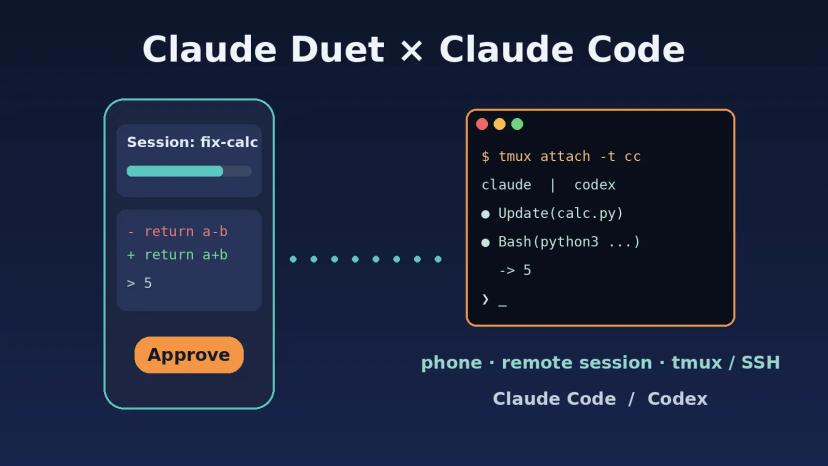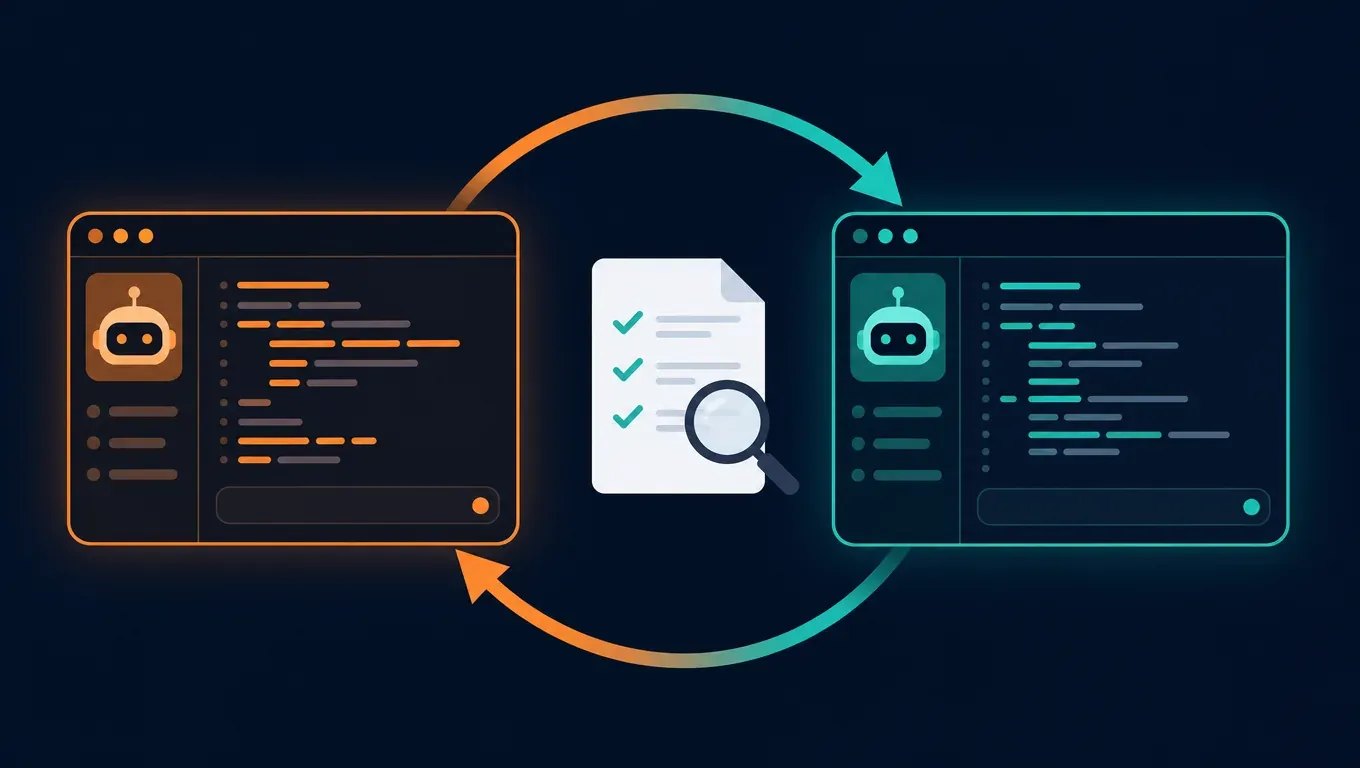
Short answer: claudex-loop lets Claude Code and Codex work together: one side writes the plan, the other reviews it independently, code gets written only after approval, and then the other side checks the finished work. Connect both ends to the same AICodeWith Key and it runs. No extra Key needed.
On Claude Code 2.1.303 + Codex CLI 0.163.0, we ran the full flow twice with the same Key:
- A small task (add a
removecommand, Claude writes the code): 125 seconds end to end, with Codex taking 14 seconds to review the plan and 15 seconds to check the code, both approved outright - A larger task (add CSV import and export, Codex writes the code): 314 seconds end to end. Codex's first review round took 22 seconds and raised 3 change requests, one of which was "exporting to the database file would overwrite the database"; the second round passed after the fixes
- Finally, Claude checked the code Codex wrote and flagged 3 low-risk issues. We reproduced one of them by hand: a CSV whose first line is blank gets treated as missing a header
Who it's for
- Changes with real risk: data formats, migrations, deletions. If the plan is wrong, rework is expensive. Having a second model pick at it first is cheaper than checking after the code is written
- People already using both tools: Claude Code and Codex are both installed, and you want them to split the work instead of copy-pasting back and forth
- Teams that want a paper trail: every round of review comments, whether each was accepted or rejected, and who wrote and who checked the code all go into a log file
Skip this flow for one-line fixes; the skill description says it's not meant for trivial changes. If you just want a model to look over your code, see AI code review, or our earlier post Using REVIEW.md for code review in Claude Code.
Step 1: Connect both ends to the same Key
claudex-loop doesn't call model APIs directly. It launches another CLI on your machine to do the work. So both CLIs need to work on their own, and global config is the easiest way to get there.
Claude CodeEdit ~/.claude/settings.json, and in env fill in:
{
  "env": {
    "ANTHROPIC_BASE_URL": "https://api.aicodewith.ai",
    "ANTHROPIC_AUTH_TOKEN": "sk-你的Key"
  }
}
For detailed steps, see Connecting Claude Code to a third-party API.
CodexEdit ~/.codex/config.toml and add:
model_provider = "aicodewith"
model = "gpt-6.1-sol"

[model_providers.aicodewith]
name = "aicodewith"
base_url = "https://api.aicodewith.ai/chatgpt/v1"
wire_api = "responses"
experimental_bearer_token = "sk-你的Key"
For detailed steps, see Connecting Codex to AICodeWith. For what each setting means, see Codex config.toml configuration guide.
Once configured, run one prompt on each to confirm they work. In our tests Claude Code returned in about 2 seconds and Codex in 2.4 seconds:
claude -p "只回复 OK"
codex exec --skip-git-repo-check "只回复 OK"
Finally, confirm Python is 3.10 or newer, since claudex-loop's dispatch script needs it:
python3 --version
Withexperimental_bearer_token,codex login statuswill show Not logged in, which doesn't affect use. In our tests the whole flow ran normally in that state. To tell whether Codex is usable, go by whether the abovecodex execreturns.
Step 2: Install claudex-loop
claudex-loop is an open-source skill pack from Chase AI (MIT license). The version we tested was 2.1.0. It includes 4 skills:
| Skill | What it does |
|---|---|
| claudex-loop | Full flow: clarify requirements, write a plan, have the other side review it, write code, have the other side check it |
| claudex-route | Recommends who should handle the task, and does a handoff if needed |
| codex-review | Explicitly has Codex review an existing plan |
| codex-build | Explicitly has Codex write the code, then Claude checks it |
The last two are entry points kept for backward compatibility. They depend on the shared scripts in claudex-loop and can't be installed alone.
Install in Claude Code (plugin), then enter this in Claude Code:
/plugin marketplace add chaseai-yt/claudex-loop
/plugin install claudex-loop@claudex-loop
In our tests, adding the plugin marketplace took 1.6 seconds and installing took 0.3 seconds. Once installed, use /claudex-loop:claudex-loop to invoke the full flow.
Use in Codex (manual copy): follow the README and run this in the repo directory. That installs both sides. In Codex, use $claudex-loop to invoke it. It only takes effect in a new session:
git clone https://github.com/chaseai-yt/claudex-loop
cd claudex-loop
mkdir -p ~/.agents/skills ~/.claude/skills
cp -R skills/. ~/.agents/skills/
cp -R skills/. ~/.claude/skills/
Copy all 4 skills together. Copying onlycodex-revieworcodex-buildwill fail because the shared scripts can't be found. Onlyclaudex-routecan be installed alone.
Test run: the full flow in Claude Code
The test repo is a minimal to-do list todo.py, with data stored in todos.json and 2 unit tests. Claude Code orchestrates the whole flow, and a script launches Codex in the background in read-only mode to review.
Run 1: builder=claude, add a remove command
In Claude Code, enter:
/claudex-loop:claudex-loop 给 todo.py 加一个 remove <id> 命令:删除指定 id 的待办,找不到时输出 not found,并补上对应的单元测试。证明命令用 python3 -m unittest。我授权你计划并实现,rounds=3,builder=claude。不要 git commit。
| Stage | Who | Time | Result |
|---|---|---|---|
| Read code, write PLAN.md | Claude | about 54 seconds | Found on its own that len(items)+1 reuses ids after a deletion, and wrote that into the plan |
| Plan review | Codex | 14 seconds | APPROVED, 0 comments |
| Write code, run tests | Claude | about 27 seconds | 4 new tests added, all 6 tests pass |
| Code check (new session) | Codex | 15 seconds | APPROVED, 0 comments |
| Summary | Claude | about 14 seconds | Outputs the changes, verification, and review record |
125 seconds end to end. The plan is saved in PLAN.md, and each round's review results and what was accepted are recorded in PLAN-REVIEW-LOG.md.
We ran this headless with claude -p, so the actual prompt had one extra line: "Don't stop to ask me questions; where a decision is needed, go with your recommendation and record it in the log." You don't need that in the interactive UI, where it stops and asks you at decision points.Run 2: builder=codex, add CSV import and export
For the second run we switched to Codex for the code, with a slightly more complex task:
/claudex-loop:claudex-loop 给 todo.py 加两个命令:export <文件.csv> 把所有待办导出成 CSV;import <文件.csv> 从 CSV 导入待办,追加到现有清单里。补上单元测试,证明命令用 python3 -m unittest。我授权你计划并实现,rounds=3,builder=codex。不要 git commit。
| Stage | Who | Time | Result |
|---|---|---|---|
| Read code, write plan | Claude | about 78 seconds | Listed 10 decisions, such as CSV header, encoding, and ignoring the original id on import |
| Plan review, round 1 | Codex | 22 seconds | REVISE, 3 comments (1 high, 2 medium) |
| Revise plan per comments | Claude | about 48 seconds | All 3 accepted |
| Plan review, round 2 | Codex | 11 seconds | APPROVED |
| Write code | Codex | 60 seconds | Changed todo.py and the test file |
| Run tests | Claude | about 23 seconds | All 14 tests pass |
| Code check (new session) | Claude | 37 seconds | APPROVED, with 3 low-risk comments |
| Summary | Claude | about 26 seconds |
314 seconds end to end. Here are the 3 comments Codex raised in round 1:
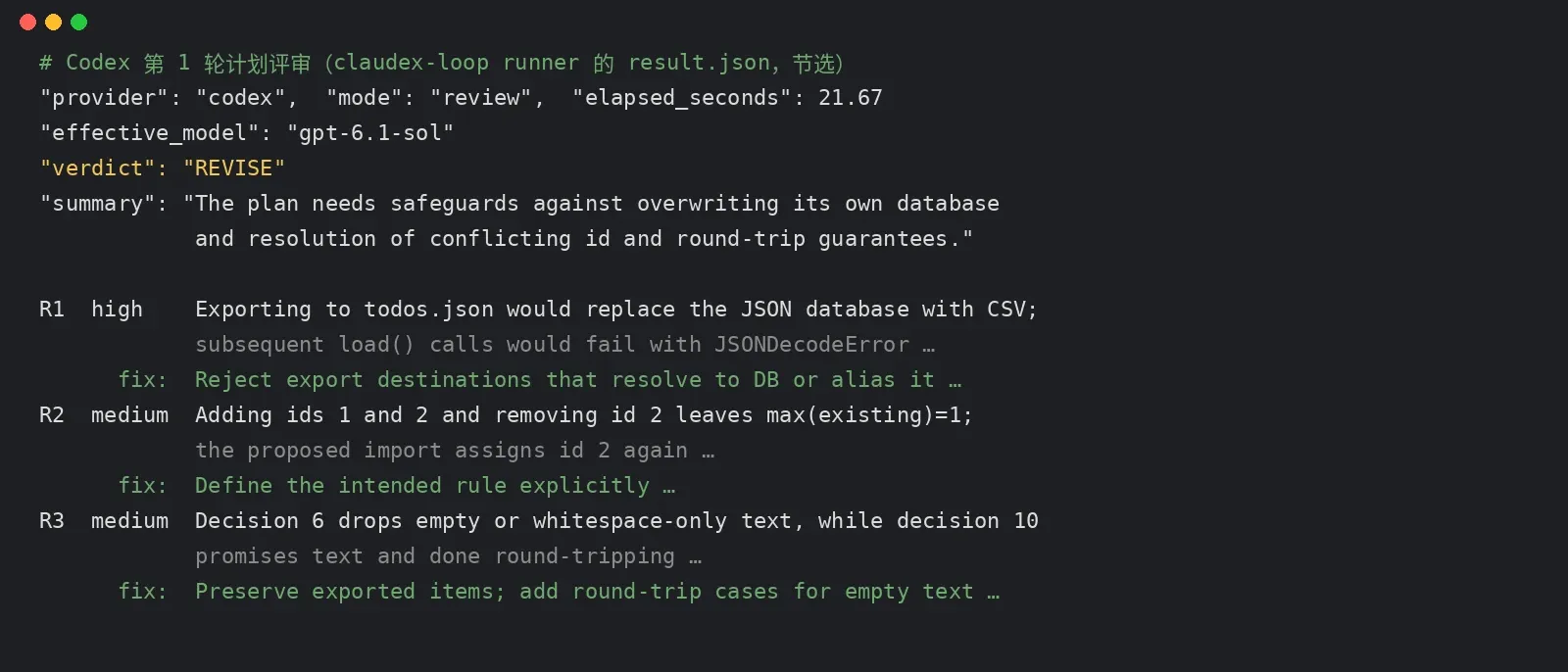
claudex-loop-codex-plan-review
In plain English:
- R1 (high): the plan allows exporting to any file and doesn't exclude the database itself. If someone runs
export todos.json, the JSON database gets overwritten by CSV, and every later command errors out. Suggestion: refuse to export to the database file, including symlinks and hard links that point to it - R2 (medium): The plan says "use the current max id + 1, so ids are never reused after deletion." That's wrong. Add 1 and 2, delete 2, and the max drops back to 1, so the next id is 2 again. Either record the historical max for real, or change the claim to "unique within the current list."
- R3 (medium): The plan skips empty text on import, but also promises that export followed by import restores everything exactly. The existing
addcan already store empty text, so an export-then-import round trip would silently drop data.
R2 was about the max + 1 approach left over from the first pass: it guarantees ids are unique within the current list, but after you delete the largest one, that id gets used again. The first-pass plan only promised "no duplicates," so it wasn't flagged. The second-pass plan said "never reused," and Codex pointed it out with a concrete example. Claude ended up changing the wording to "unique within the current list" and left the existing behavior of add untouched.
We manually verified the R1 fix against the final code: running export todos.json printed "Error: cannot export to a database file" and returned 1, and the database contents were unchanged.
Did the final code review catch any bugs?
Not on the first pass. On the second pass, Claude reviewed the code Codex wrote and raised 3 low-risk comments. Claude, acting as the orchestrator, decided not to fix any of them for now and logged them:
- Below Python 3.13, exporting to a circular symlink dumps a raw stack trace (our environment runs 3.13.5, so it isn't affected)
- If the first line of the CSV is blank, it's treated as a missing header
- Writing the target CSV on export isn't atomic, so a failure partway through leaves a partial file
We reproduced the second one by hand: adding a blank line before the header and importing prints "Error: CSV is missing the text column." It's a real small bug, just not serious enough to force a rework.
How to choose the builder
builder decides who writes the code, and the other side always reviews it. The plan is always written by the tool you're currently in.
| Where you start | Writes the plan | Reviews the plan | Writes code (default) | Reviews code |
|---|---|---|---|---|
| Claude Code | Claude | Codex | Claude | Codex (new session) |
| Codex | Codex | Claude | Codex | Claude (new session) |
- builder=claude (the default inside Claude Code): Claude edits the code directly with its own tools, which saves a handoff. Our first pass finished in 125 seconds.
- builder=codex: Claude orchestrates and Codex writes the code in the background. This requires a clean working tree. In our run, Claude put the plan and logs outside the repo so Codex would see a clean directory. If you have uncommitted changes, commit them first or isolate with git worktree.
To change who writes the plan, start from the other tool.
Where to change the model on each side
The model you pick in the Claude Code UI isn't synced to Codex, and the reverse is also true. Each side uses its own config:
- Claude side: switch with
/modelin a session, or add~/.claude/settings.jsonto theenvinANTHROPIC_MODEL - Codex side: edit
~/.codex/config.tomlinmodel - For one run only: add
reviewer_model=,builder_model=, andinspector_model=to the command to set the model for review, coding, and code review respectively
We didn't specify a model on either pass. The logs show Codex used gpt-6.1-sol and Claude used claude-opus-5-5 for its review.
FAQ
What's the difference between claudex-route and a handoff.md handoff?
A handoff.md handoff is when you manually have one side write its progress to a file and stop, then have the other side read the file and pick up from there. It suits switching tools midway through a task.claudex-route is a skill: it first suggests who should do the task and with which model, and if you ask, it launches the other CLI directly to complete one bounded task, then brings the result back for review. The former runs on files and works with any tool. The latter launches and collects results automatically, but it only runs once and doesn't go into multi-round review. For multi-round review, use claudex-loop.
Do I need two Keys?
No. claudex-loop doesn't call model APIs directly and doesn't need an extra Key. It uses the config of each CLI. Put the same AICodeWith Key on both sides. That's how we ran both of our test passes.
Codex returns 401 even though the Key is correct?
We ran into this during testing: the Key worked with a direct curl call, but Codex reported 401 Unauthorized: {"error":"请在请求中提供有效的 API Key。"}. The cause was that CODEX_HOME was set in the environment, so Codex read a different config.toml in that directory, and the Key in it was a placeholder. Check it with echo $CODEX_HOME, then unset it or point it to ~/.codex, and it works.
Will the review change my code?
No. Per the README, Codex reviews in a read-only sandbox, and Claude reviews with only file-read and search tools enabled, with no MCP loaded. Only the builder actually changes code.
Does it git commit automatically?
It doesn't commit on its own. Committing and pushing follow your own workflow. We wrote "do not git commit" into the prompt, and after both passes the changes stayed in the working tree for you to confirm.
Sign up now and let Claude Code and Codex work together →