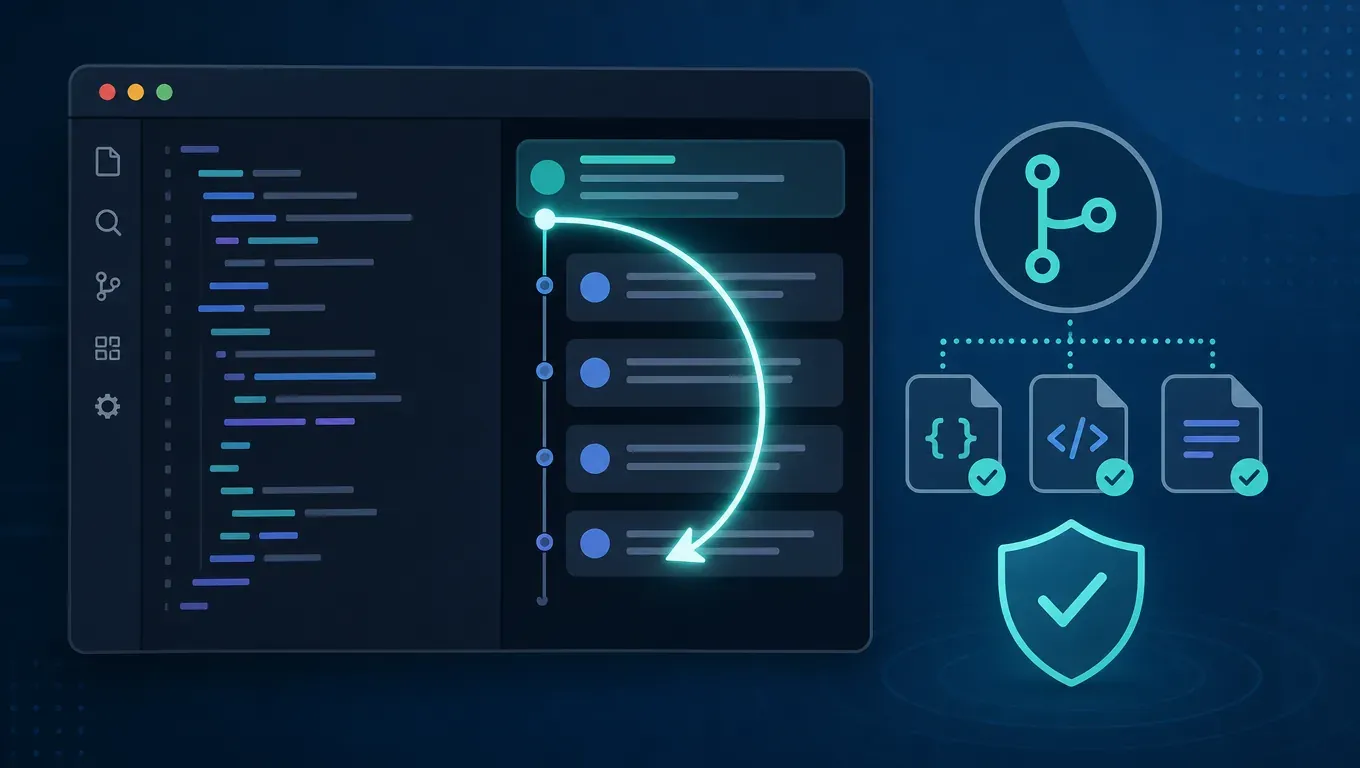
First, the bottom line: rewinding to an earlier message in Codex CLI and editing it only undoes the conversation, not the code. In our test, Codex printed "Conversation reverted to this point. File changes are unchanged." on rewind, and the files modified in the later rounds stayed in the working tree as they were. To take the code back in time too, you need git.
We ran a full test with an AICodeWith key in Codex CLI 0.163.0 (model gpt-6.1-sol):
- In a git repo, we had Codex make changes for 3 rounds, 10 to 12 seconds each
- Double-pressed Esc, selected the first message, and hit Enter to rewind. The conversation was back in under 2 seconds, and the original message was filled back into the input box
- After editing the prompt and resending, it finished in 12 seconds.
git diffshows the content added in rounds two and three, plus the new files,all still there, and the new content was appended after them
How to Edit Earlier Messages in Codex
CLI: Press Esc twice in an empty input box
OpenAI's official Codex CLI docs spell this out in the shortcuts section: when the input box is empty, press Escape twice to edit the previous user message and fork the conversation from that point.
Here's how it works in practice:
- Make sure the input box is empty. The docs say this only works with an empty input box
- Press Esc twice, and the bottom shows
Browsing transcript · ↑↓/jk scroll · ←→/hl prompts · ^t details · ↵ rewind · esc back - Use ← → to move between the messages you've sent; the selected one is highlighted
- Press Enter, and the conversation rewinds to before that message, with the original message filled back into the input box
- Fix the prompt and press Enter to resend; if you change your mind, press Esc to exit
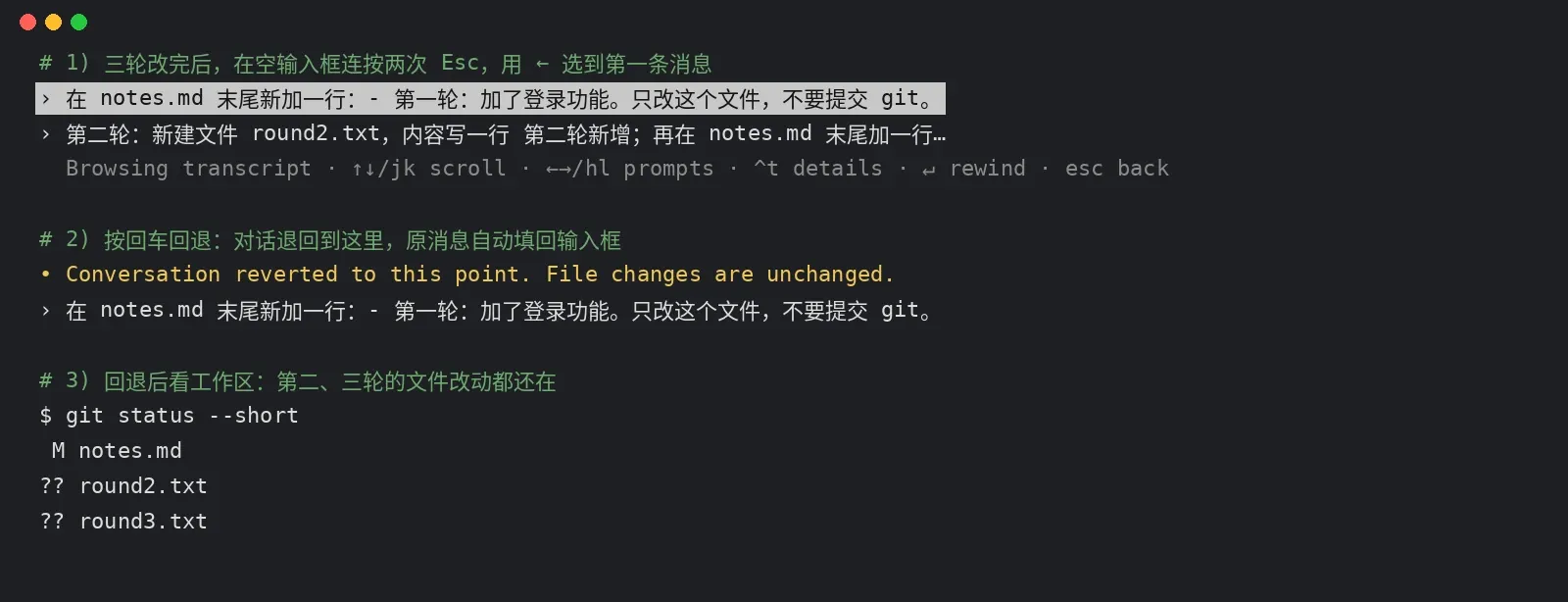
codex-rewind-file-changes-unchanged
After a rewind, the conversation after the selected message is no longer in the current session. If you only want to look at history, press Esc to exit browsing, and don't press Enter.
Desktop app and VS Code extension
The Codex desktop app (Codex inside the ChatGPT desktop app) can also edit messages you've already sent. Feedback in GitHub issue #20287 shows users editing old messages in the Codex App. However, as of October 18, 2026, the official Codex changelog doesn't mention this feature, and it doesn't say what happens to files after an edit, so we won't draw conclusions about the desktop app here.
The desktop app requires signing in with a ChatGPT account and can't run on an API key, so all of our testing was done in the CLI. The git safety-net approach below works the same no matter which client you use. If you haven't installed Codex yet, start with Codex download and installationand Codex tutorial.
Test results: what git diff still shows after a rewind
The test repo had a single committed notes.md, containing "initial content." Codex used the team-standard global ~/.codex/config.toml:
model_provider = "aicodewith"
model = "gpt-6.1-sol"

[model_providers.aicodewith]
name = "aicodewith"
base_url = "https://api.aicodewith.ai/chatgpt/v1"
wire_api = "responses"
experimental_bearer_token = "sk-你的Key"
To see what each setting means, check out Codex config.toml explained.
In the Codex interface, we sent three messages in order:
| Round | What we asked Codex to do | Time |
|---|---|---|
| Round 1 | Append "Round 1: added login" to the end of notes.md | 12 sec |
| Round 2 | Create round2.txt, then add "Round 2: added payments" to notes.md | 10 sec |
| Round 3 | Create round3.txt, then add "Round 3: added export" to notes.md | 10 sec |
Check the working tree before rewinding:
$ git status --short
 M notes.md
?? round2.txt
?? round3.txt
Then we double-pressed Esc, selected the first message, and hit Enter. Codex showed Conversation reverted to this point. File changes are unchanged., and when we checked the working tree again, all three changes were still there.
Next we changed the first message to "Append a line to the end of notes.md: Round 1 (edited): added registration" and resent it. It finished in 12 seconds. The final notes.md looked like this:
# 待办

- 初始内容
- 第一轮:加了登录功能。
- 第二轮:加了支付功能。
- 第三轮:加了导出功能。
- 第一轮(改):加了注册功能。
In other words, the old round 1, 2, and 3 changes were all still there, and the edited prompt built on top of them. round2.txt and round3.txt weren't deleted either. If you assume a rewind will "undo back to before round 1," you'll end up with the old and new changes mixed together.
Two Double-Esc Pitfalls: Accidental Triggers and Lost Context
A few GitHub issues relate to rewinding and are worth a look before you run into trouble:
- #11626: someone proposed adding a
/rewindto the CLI so a rewind restores the conversation along with the code Codex changed. The issue describes the current behavior: Esc rewind only rolls back conversation history and doesn't undo later code changes, which matches our test. As of October 18, 2026, it's still open - #26348: double-pressing Esc is too easy to trigger by accident, with no confirmation and no way to undo. People who press Esc out of Vim habit are especially likely to get bitten. Proposed fixes include showing a history list first, adding a confirmation, or allowing the shortcut to be remapped
- #20287: in the Codex App, editing or forking a message from before context compaction drops all earlier context
Codex automatically compacts context in long conversations. If the message you're rewinding to is far back, it may no longer remember earlier details after the rewind, so it's best to restate the key requirements when you resend.
Safe approach: save a checkpoint before editing, and undo the code yourself after rewinding
Codex's official IDE extension docs also recommend making Git checkpoints before and after a task so changes are easy to undo. Based on our test, here's what we recommend.
1. Commit once before you start, so the working tree is clean:
git add -A
git commit -m "开始让 Codex 改之前的存档"
2. Commit whenever a round looks good, so whichever round you rewind to, you can find the matching commit:
git add -A
git commit -m "Codex 第 1 轮"
3. Before you rewind and redo, stash your current changes.-u also stashes newly created files. In our test, after running it, round2.txt, round3.txt, and the notes.md changes all went into the stash, and the working tree returned to the last commit:
git stash push -u -m "回退前的改动"
Now double-press Esc in Codex, rewind, edit the prompt, and resend, and you're starting over on clean code. Your earlier changes aren't lost. To get them back, use:
git stash list
git stash pop
4. If you've already rewound and only just remembered, you can undo by hand. The first command below undoes changes to tracked files; the second lists untracked new files first, and once you've confirmed they're fine, swap -n for -f to delete them:
git restore .
git clean -n
git restoreandgit clean -fcan't be recovered, so before running them, check withgit statusandgit diffto be sure. When in doubt, use thegit stash push -uabove; it's safer.
FAQ
Can you edit earlier messages in the VS Code extension?
Codex's official IDE extension docs don't mention an entry point for editing past messages. They only suggest creating Git checkpoints before and after a task so you can undo changes. Whether or not the extension has that button, managing your code with git is the most reliable approach.
Does resending after an edit use up quota again?
Yes. Resending is a new request. Codex reruns from the context before the rewind point and counts it as new usage. For how usage is calculated, see the Codex API usage guide.
Can I use double-Esc rewind when logged in with an API key?
Yes. In our test we configured only an AICodeWith key and never logged in to a ChatGPT account, and CLI rewind, edit, and resend all worked. For how to set up the key, see Codex API key setup. The desktop app, however, requires a ChatGPT account login.
I pressed Esc by mistake and rewound. Can I undo it?
There's no undo button in the current interface, which is exactly the problem issue #26348 raises. That said, in our test directory we saw that after a rewind, Codex saves a new session record, while the pre-rewind one stays on your machine in ~/.codex/sessions. Open the session list with codex resume and you can recover it. Your code is unaffected, because rewinding doesn't touch files in the first place.
Does rewinding delete files Codex created?
No. In our test, round2.txt and round3.txt, which Codex created in rounds two and three, were still there after rewinding to the first message. You'll need to clean them up yourself with git clean or git stash push -u.
Once you have a key, follow the guide to connecting Codex to AICodeWith and you can be set up in a few minutes.
Sign up now and let Codex edit your code with confidence →
Sources
- OpenAI: Codex CLI command line options (Interactive shortcuts)
- OpenAI: Codex IDE extension
- GitHub issue #11626: Proposal for CLI rewind to restore both conversation and code
- GitHub issue #26348: Double-Esc rewind is too easy to trigger by accident
- GitHub issue #20287: Editing messages from before compaction loses context