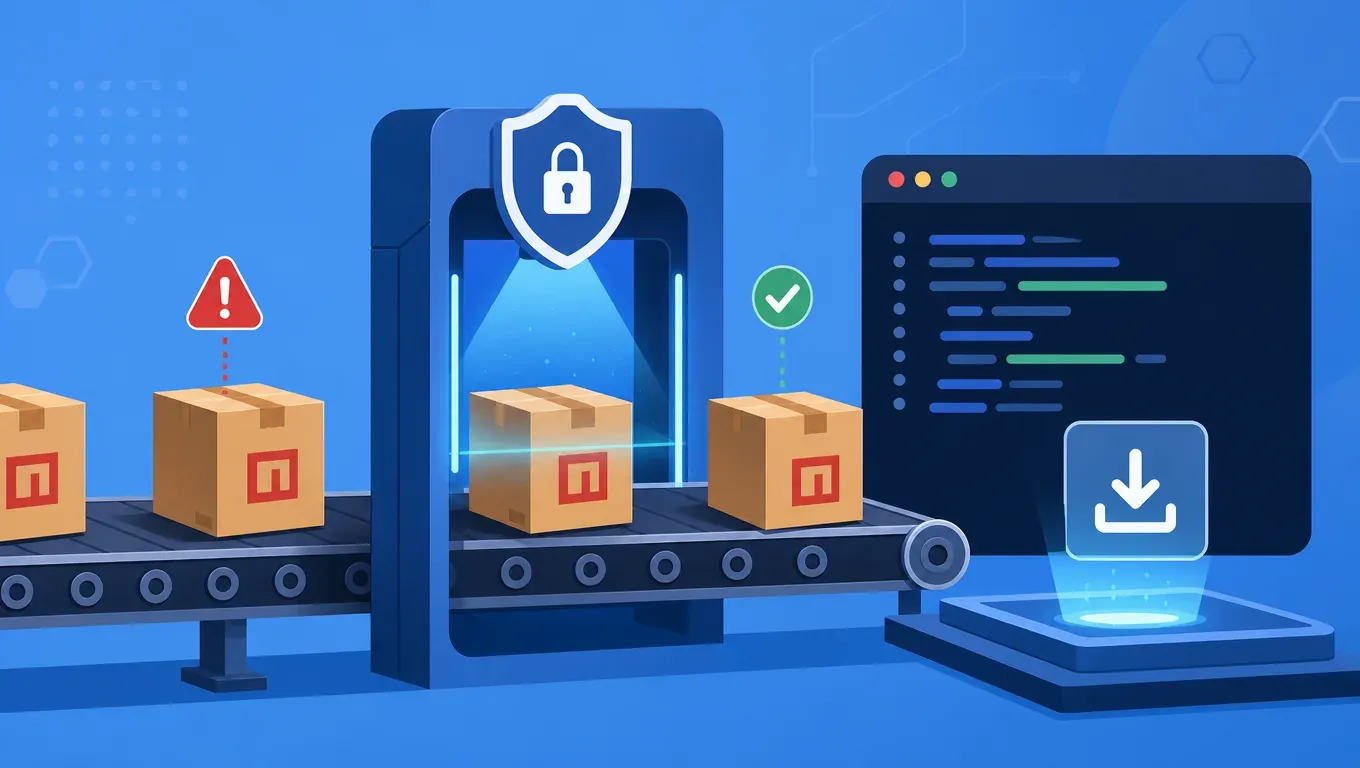
Need to add a few npm packages to your project and wonder whether the older versions have known vulnerabilities? This post covers how to check npm packages for vulnerabilities with Claude Code:generate only a package-lock without actually installing anything, run npm audit, cross-check against the OSV vulnerability database, and finally get a recommendation for which version to install.
We tested four packages: lodash@4.17.20, axios@0.21.1, minimist@1.2.5, and left-pad:30 vulnerabilities in total, with npm audit and OSV returning identical results; after switching to the versions it recommended and rerunning npm audit, the result was found 0 vulnerabilities. The whole run took 102 seconds. No third-party key is needed; Claude Code just connects to AICodeWith and it works.
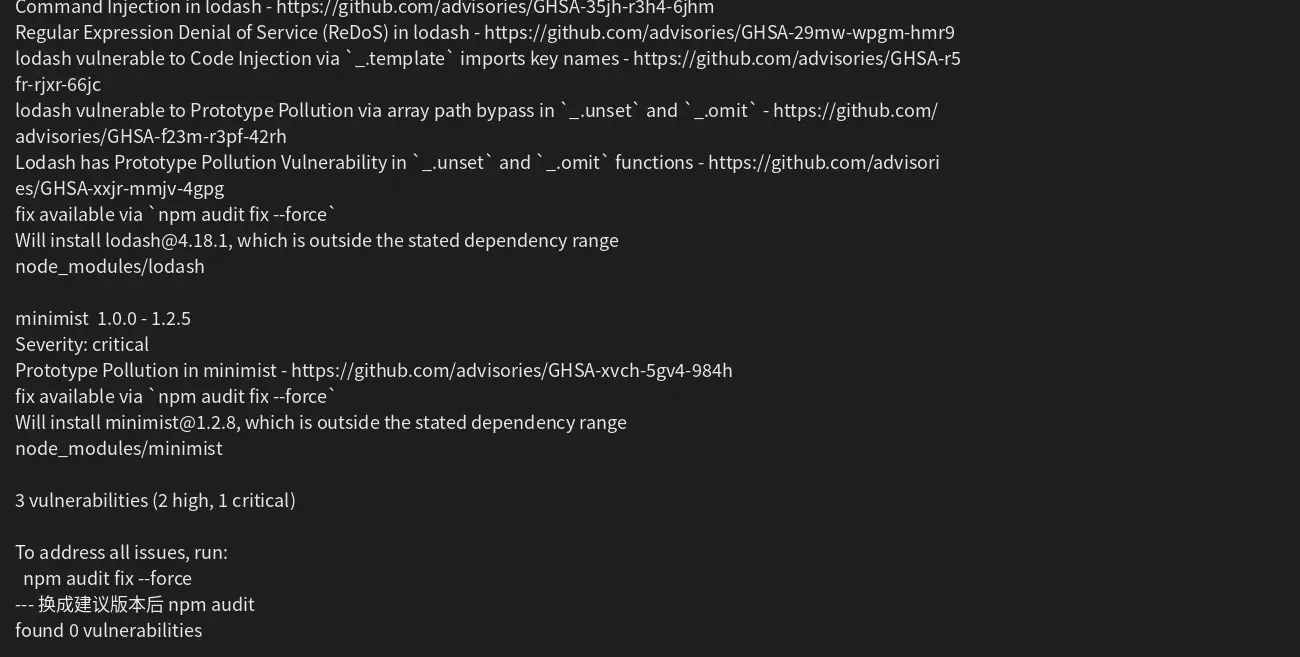
npm 包漏洞检查:npm audit 修复前后对比
The finished result from our test: the top half is the npm audit output for the original versions (lodash is high, minimist is critical), and the last line is the result after switching to the recommended versions: found 0 vulnerabilities.
Set up the environment first: connect AICodeWith in two steps
You only configure this once, and it works for every scenario afterward:
- Install Claude Code: follow the official Claude Code installation docs to install it, then type
claude --versionin your terminal. If you see a version number, you're set. - Create a key and edit the global config: after logging in, go to "Key Management" in the console and click "Create Key." Then open the global config file
~/.claude/settings.json, and inenvfill in the Base URL and Key:
{
  "env": {
    "ANTHROPIC_BASE_URL": "https://api.aicodewith.ai",
    "ANTHROPIC_AUTH_TOKEN": "sk-你的Key"
  }
}
Do not add a trailing/v1to the Base URL. After saving, reopen your terminal and runclaude. If you can chat normally, you're connected. For what each field means and more error handling, see "How to Connect Claude Code to a Third-Party API".
Step 1: Ask it to check for vulnerabilities in one sentence
In your project directory, run claude, and spell out the packages and versions to install, the check method, and the output format in one go. The prompt we used in testing:
我准备在项目里装这几个 npm 包:lodash@4.17.20、axios@0.21.1、minimist@1.2.5、left-pad。安装之前先帮我查漏洞:建一个临时项目只生成 package-lock(npm install --package-lock-only,不要真装),跑 npm audit,再用 OSV(https://api.osv.dev)交叉核对每个版本的漏洞。给我一个中文报告 audit-report.md:每个包有哪些 CVE/GHSA、严重级别、修复版本、建议装哪个版本;废弃的包要指出来并给替代方案。最后给出安全的 package.json 依赖写法,并再跑一次 npm audit 证明 0 漏洞。
Swap in your own package names and versions. The line "only generate package-lock, do not actually install" matters: no packages are downloaded and no install scripts run, so the check itself adds no risk.
During testing it also added --ignore-scripts, and deleted the temp directory when it finished, so your project directory is untouched.Step 2: What it actually did
- Created a temp directory and ran
npm install --package-lock-only --ignore-scriptsto generate only the lockfile. - Ran
npm auditto get the vulnerability list for each package. - Called OSV's
POST /v1/queryendpoint to check each version, then used the GitHub Advisory endpoint to confirm the CVE behind each GHSA. - Wrote a Chinese-language report
audit-report.mdwith recommended versions and dependency syntax, then reran npm audit on the new versions.
Summary from the report:
| Package | Vulnerabilities | Highest severity | Recommended version |
|---|---|---|---|
| lodash@4.17.20 | 5 | High | ^4.18.1 |
| axios@0.21.1 | 24 | High | ^1.20.0 |
| minimist@1.2.5 | 1 | Critical | ^1.2.8 |
| left-pad@1.3.0 | 0 | — | Deprecated; use String.prototype.padStart() |
The "3 vulnerabilities" on the last line of npm audit is counted per package (3 packages have vulnerabilities). The individual advisories add up to 30, which matches the OSV results one to one.
The safe dependency syntax it gave:
"dependencies": {
  "axios": "^1.20.0",
  "lodash": "^4.18.1",
  "minimist": "^1.2.8"
}
We reran npm audit independently using this syntax, and the output was:
found 0 vulnerabilities
Going from axios 0.x to 1.x is a major version upgrade with interface changes, so run your project's tests before shipping the upgrade.
The axios@0.21.4 that npm audit fix --force suggests still has vulnerabilities
This is the pitfall most worth noting from this test. For axios, npm audit's suggested fix is:
fix available via `npm audit fix --force`
Will install axios@0.21.4, which is outside the stated dependency range
It looks like following it will fix things, but axios@0.21.4 fixes only 1 of the 24 vulnerabilities, and the other 23 are still there. If you just run npm audit fix --force, you'll think the problem is solved, when your dependencies still carry many known vulnerabilities.
So don't trust the result of npm audit fix --force blindly. We suggest doing this:
- Have Claude Code check the version suggested by
npm audit fixagainst OSV again to confirm it really has 0 vulnerabilities. - Go with the recommended version in the report (this time, axios ^1.20.0), and after upgrading, rerun npm audit to confirm
found 0 vulnerabilities. - Likewise, upgrading lodash only to 4.17.21 isn't enough. New advisories have appeared in the past two years, and in our test it took 4.18 or higher to come back clean.
Error hit during testing: curl: (56) Send failure: Broken pipe
This error came up while installing Claude Code, not during the vulnerability check itself. When we ran the official install script in several environments at the same time, one download was interrupted:
curl: (56) Send failure: Broken pipe
Download failed
The install didn't finish, so running claude afterward fails with a command-not-found error.Running the install script again on its own finished in about 10 seconds, and the task then ran normally. If you hit this error, check your network and reinstall.
Common errors and self-checks
| Symptom | What to do |
|---|---|
| curl: (56) Send failure: Broken pipe | Claude Code install download interrupted; rerun the install script |
| npm audit fix --force and you're still not sure | Check the new version against OSV again, and go by the result of rerunning npm audit |
| 401 or request failed | Check that the Key is complete and the Base URL is https://api.aicodewith.ai (without /v1), then reopen your terminal after changing it |
| Package is deprecated but has no vulnerabilities | Replace it anyway. The report will suggest an alternative, such as using this in place of left-pad: padStart() |
FAQ
Does checking npm packages for vulnerabilities require actually installing them?
No. Use npm install --package-lock-only to generate only a lockfile, and npm audit can check it without downloading packages or running install scripts.
Why check OSV too? Isn't npm audit enough?
Cross-checking two sources is more reliable, and it can also expose problems in npm's own fix suggestions, like the axios@0.21.4 pitfall this time. In our test, the 30 results from both sources matched exactly.
How long does it take?
In our test, 4 packages took 102 seconds. More packages and more vulnerabilities mean more time.
Can it check a project that's already installed?
Yes. Change the prompt to "check the current project's package.json and package-lock.json" and keep the other requirements the same.
Can it run automatically in CI?
You can script npm audit and OSV queries and put them in CI. For an approach where Claude Code automatically fixes code and runs tests, see "Using Codex to Fix a Real Bug Automatically and Verify with Tests".
Related reading
- To make "check for vulnerabilities before installing packages" a standing project rule, see "How to Write CLAUDE.md for Claude Code".
- Not sure which model to use? See "Which Model to Use with Claude Code".
Sign up for AICodeWith → View pricing →
References
- npm audit docs: docs.npmjs.com/cli/commands/npm-audit
- OSV API docs: google.github.io/osv.dev/api
Similar scenarios
For more ways to use AI for code review, see the AI code review scenario page.