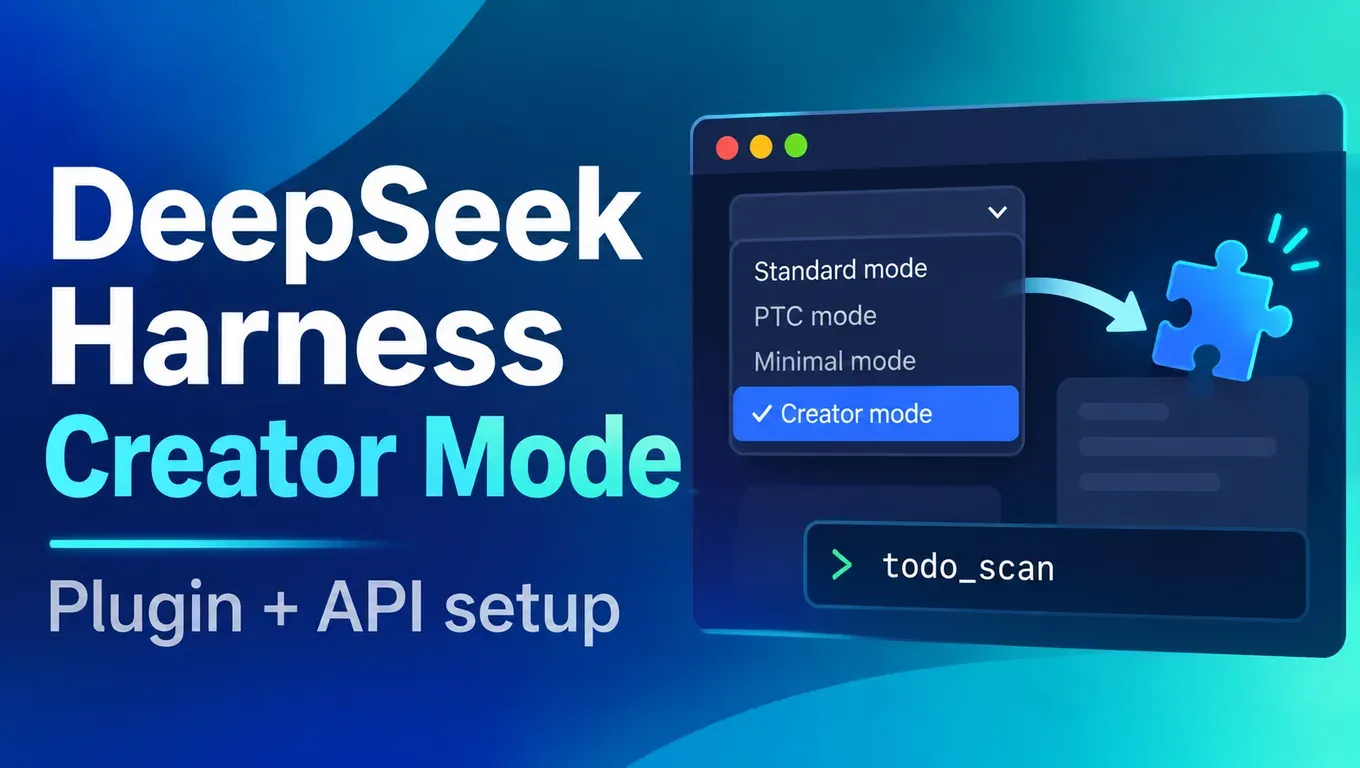
Short answer: Creator Mode is the DeepSeek Harness mode for extending Harness itself. You describe the tool you want in one sentence, and the agent writes a plugin, installs it into the current profile and checks that it loaded.
- According to the official @DeepSeekHarness post (November 2), Creator Mode turns ideas into plugins you can use; the demo shows a design workspace, a sandbox game and a 3D LLM visualizer.
- Harness starts with
npx @deepseek-ai/dsh web. We tested version 0.2.1-rc.5 on Linux on the afternoon of November 3 (Beijing time); installing the dependencies took about 37 seconds. - It supports a "Custom model API": enter a base URL, protocol and key, and it talks to any OpenAI-compatible third-party API. With aicodewith connected,
claude-sonnet-5-5,gpt-6.1-solanddeepseek-flashall called tools correctly. - Building a
todo_scanplugin with Creator Mode took 1 min 33 s: it wrote 6 files and installed the plugin. Calls from a new session and from headless mode returned correct output.
Create an API Key and use Claude and GPT in DeepSeek Harness, Claude Code, Codex and Cursor →
What DeepSeek Harness and Creator Mode are
DeepSeek Harness (command name dsh) is an open-source agent harness from DeepSeek, published on GitHub under the MIT license. Its motto is "Everything is a Plugin": tools, skills, UI panels and even modes are plugins composed on the Cordis plugin framework. It is a developer preview, and the README says breaking changes will come.
When you start a new session in the web UI you can choose one of four modes (wording copied from the UI in our test):
| Mode | UI description |
|---|---|
| Standard mode | Work with code, files and information; suits most tasks |
| PTC mode | Everything in Standard, better for calling tools in batches and then organizing the results |
| Minimal mode | Terminal and image reading only; useful for testing baseline behavior |
| Creator mode | Customize DSH through conversation: let the agent write plugins that add features or UI, or combine tools and prompts into your own mode |
According to the official dynamic plugin guide and the Agent Preset README, Creator Mode's internal id is cordis. Compared with Standard it adds three things:
- Runtime inspection: two read-only tools,
cordis_inspect_listandcordis_inspect_query, that show the live services, tool schemas and config schemas, so the agent does not guess APIs from source code. - Plugin management: the
plugin_managertool (also in Standard) installs, enables, disables and removes bundles. Plugin configuration belongs to the current profile, affects all its sessions and survives restarts. - Authoring skills: skills such as
cordis-plugin-developmentare mounted automatically, with steps and templates for writing plugins, bundles and modes.
It uses whichever model you picked in the model picker. Besides the new-session picker, the Add plugin menu on the Plugins page has a "Let the agent create a plugin" entry that opens the same Creator flow.
Some third-party reports:
- According to @rohanpaul_ai, the feature has existed since August; on November 2 DeepSeek released a demo video and the prompts behind its 7 examples.
- According to @testingcatalog, Creator Mode creates reusable plugins for use cases including gaming and professional work.
- According to user @superalesha, he runs Kimi, GLM, MiniMax, DeepSeek and other open models in Harness and "even added GPT models through a plugin".
For DeepSeek's other Harness-based project, Super-agent, see our earlier review of DeepSeek Super-agent and the dsh-superagent prototype; we do not repeat it here.
Install DeepSeek Harness
Install Node.js (we used 22.23), then run:
# Node.js 22 or newer
npx @deepseek-ai/dsh --version
# 0.2.1-rc.5

npx @deepseek-ai/dsh web
# dsh web: http://127.0.0.1:3080/?token=...
A local launch opens the browser for you; on a server or over SSH add --no-open and it only prints the address. The address carries a token, so open that full link: plain http://127.0.0.1:3080/ returns 401.
To run one task in the terminal without the web UI, use headless mode. The answer goes to stdout and diagnostics to stderr, which suits scripts and CI. See the official CLI help for the flags.
The official safety notice warns that Harness executes model-generated code and commands, loads third-party plugins and has not been security-audited. Run it in a disposable VM, container or dedicated directory rather than next to important projects and credentials.
Connect DeepSeek Harness to a third-party API (aicodewith)
Models are configured under Settings → Models. Besides DeepSeek's own card and the built-in third-party providers, you can choose Custom model API for a relay, a company gateway or a self-hosted server. According to the official model configuration guide, three protocols are offered: OpenAI Chat Completions, OpenAI Responses and Anthropic Messages.
Create an API Key for DeepSeek Harness →
Option 1: fill in the Models page
Settings → Models → Add model provider → Custom model API
  Provider ID   aicodewith
  Base URL      https://api.aicodewith.ai/v1
  API protocol  OpenAI Chat Completions
  API key       (your aicodewith key)
  Models        claude-sonnet-5-5, gpt-6.1-sol, deepseek-flash
After saving, the three models appear in the model picker. A key saved on the page is written to ~/.dsh/.credentials.yaml, and the settings keep only a reference to it.
Option 2: edit the config file
The page writes the profile's cordis.patch.yml. With dsh web the profile is web; with headless it is headless. This is the exact file we tested (the key comes from an environment variable and is not written to the file):
# ~/.dsh/profiles/web/cordis.patch.yml
- id: llm-pi-ai
  config:
    providers:
      aicodewith:
        displayName: aicodewith
        apiKeyEnv: AICODEWITH_API_KEY
        api: openai-completions
        baseURL: https://api.aicodewith.ai/v1
        models:
          - id: claude-sonnet-5-5
          - id: gpt-6.1-sol
          - id: deepseek-flash
- id: agent-default-model
  config:
    provider: aicodewith
    model: claude-sonnet-5-5
Export the key before starting:
export AICODEWITH_API_KEY="YOUR_API_KEY"
npx @deepseek-ai/dsh web
Windows PowerShell:
$env:AICODEWITH_API_KEY = "YOUR_API_KEY"
npx @deepseek-ai/dsh web
Changes take effect on the next request without a restart. Send one message to confirm it works:
npx @deepseek-ai/dsh headless "Reply with exactly: harness ok"
# harness ok
Our results (November 3, Beijing time):
| Test | Model | Result | Time |
|---|---|---|---|
| One-line reply | claude-sonnet-5-5 | Returned harness ok | 4.5 s |
| One-line reply | gpt-6.1-sol | Returned harness ok | 3.7 s |
| Write hello.py and run it (write + bash tool calls) | claude-sonnet-5-5 | Output 5050 | 8.2 s |
| Same, with the Anthropic Messages protocol and base URL https://api.aicodewith.ai | claude-sonnet-5-5 | Returned harness ok | 3.0 s |
To use DeepSeek's own model, add deepseek-flash to the model list; see what changed in DeepSeek V4.1 Flash 1017 and how to use it in Claude Code / Codex.
Build your first plugin with Creator Mode: todo_scan
Goal: a todo_scan tool that finds lines containing TODO or FIXME and returns file:line: text, at most 50 entries.
In the web UI open the mode picker, choose Creator mode, and send this request (we used claude-sonnet-5-5 with the default Workspace Write permission):
Write a DSH plugin that adds a tool named todo_scan. It takes an optional path
(default: the working directory), recursively scans text files for lines
containing TODO or FIXME (skip node_modules and .git), and returns a list of
file:line: text entries, at most 50. Install it into this profile and verify
it loaded.
It asked for confirmation once, because installing a plugin is a high-trust action; we clicked Allow once. The final reply (excerpt):
Completed in 1m 33s

The todo_scan plugin is installed and loaded, and a test call returned correct results.
Install: @local/todo-scan installed with application: applied and no warnings.
Tool registration: todo_scan appears in the live tool list with the schema from my plugin.
...
It skips symlinks, binary files and files over 1 MiB.
If more than 50 matches exist, it returns 50 and marks the result as truncated.

Edited 6 files  +147 -0
The plugin it generated in the working directory:
todo-scan/
├── package.json        # "dsh": { "bundle": { "patch": "./cordis.patch.yml" } }
├── cordis.patch.yml    # inserts the plugin into the profile
├── index.js            # 127 lines: registers the todo_scan tool
├── icon.svg
└── locale/
    ├── en.json
    └── zh.json
The two key files are cordis.patch.yml and index.js. The first tells Harness to insert the plugin into the profile:
# todo-scan/cordis.patch.yml
- insert:
    - id: todo-scan
      name: '@local/todo-scan'
      config: {}
The second registers the tool, following the official first plugin tutorial: export name, inject and apply, and call ctx.tools.register inside apply:
// todo-scan/index.js (abridged)
export const name = 'todo-scan'
export const inject = ['tools', 'workingDirectory']

export function apply(ctx) {
  return ctx.effect(() =>
    ctx.tools.register({
      name: 'todo_scan',
      description: 'Recursively scan text files for lines containing TODO or FIXME ...',
      parameters: {
        type: 'object',
        properties: { path: { type: 'string', description: 'File or directory to scan ...' } },
        additionalProperties: false,
      },
      output: { schema: { /* entries: string[], truncated: boolean */ }, render: (_a, v) => [/* text */] },
      async execute(args, exec) {
        const cwd = await ctx.workingDirectory.ensure(exec.agent, exec.signal)
        return scan(args.path ? resolve(cwd, args.path) : cwd, exec.signal)
      },
    }),
  )
}
After installation the profile's package.json gains a link: dependency and @local/todo-scan in bundles, so it stays after a restart.
Check the plugin
In a new Standard session we asked it to call todo_scan; it took 7 seconds. We had added a file with 60 TODO lines, and the result stopped at exactly 50:
many.txt:1: TODO item 0 many.txt:2: TODO item 1 ... many.txt:50: TODO item 49 (truncated at 50 entries)
Next we checked the node_modules and .git skipping: we put TODO lines in demo/node_modules and demo/.git too, installed the plugin into the headless profile and called it from the command line:
npx @deepseek-ai/dsh plugin --profile headless add link:/absolute/path/to/todo-scan
# dependencies:
# + @local/todo-scan <- .../todo-scan
# Done in 23ms using pnpm v12.15.0

npx @deepseek-ai/dsh headless --json "Call the todo_scan tool once with path demo and paste its raw output verbatim, nothing else."
{"type":"tool_call","tool":"todo_scan","input":{"path":"demo"}}
{"type":"tool_result","status":"completed","result":"src/app.py:2: # TODO: handle empty input\nsrc/app.py:4: # FIXME: off by one"}
{"type":"final","text":"src/app.py:2: # TODO: handle empty input\nsrc/app.py:4: # FIXME: off by one"}
Only the two lines from src/app.py came back; the ones in node_modules and .git were skipped. The same plugin with three models:
| Model | Called todo_scan | Output | Time |
|---|---|---|---|
| claude-sonnet-5-5 | Yes | Two lines, correct | 5.5 s |
| gpt-6.1-sol | Yes | Two lines, correct | 6.9 s |
| deepseek-flash | Yes | Two lines, correct | 7.6 s |
Common errors
Wrong key:
{ERR401}
Check that AICODEWITH_API_KEY holds the complete key with no extra spaces.
Environment variable not exported:
dsh: MISSING_CREDENTIAL: llm-pi-ai: no credential for provider route "aicodewith"; its profile
resolves AICODEWITH_API_KEY, which is not set — store AICODEWITH_API_KEY through the credentials
service (the web Models page writes it) or export it ...
The variable named in apiKeyEnv must be exported in the terminal that starts dsh, or the key must be saved once on the Models page.
Default model missing from the list:
dsh: UNKNOWN_MODEL: pi-ai provider "aicodewith" has no configured model "claude-sonnet-9"
The model in agent-default-model must appear in that provider's models list.
Model id the gateway does not know:
{ERR400}
Use model ids from the aicodewith model list, or click Fetch available models on the Models page.
| Symptom | Cause | Fix |
|---|---|---|
| http://127.0.0.1:3080/ shows 401 | The startup token is missing | Open the full link printed in the terminal |
| AUTH: 401 | Wrong or deleted key | Use a valid key |
| MISSING_CREDENTIAL | Variable not exported | Export it or save the key on the Models page |
| UNKNOWN_MODEL | Default model not in the models list | Add the model to the list |
| INVALID_REQUEST: 400 model does not exist | The gateway does not know the id | Fix the id using the model list |
| Plugin installed but the tool is missing | The plugin did not load or failed to load | Ask Creator Mode to list installed bundles and warnings |
Doing the same in Claude Code / Codex / Cursor
A Harness plugin gives the agent a new tool. In other clients the closest equivalents are a Skill (steps and scripts packaged in a folder) or an MCP server:
| Client | Where Skills live |
|---|---|
| Claude Code | ~/.claude/skills/<name>/SKILL.md |
| Codex | ~/.agents/skills/<name>/SKILL.md |
| Cursor | ~/.cursor/skills/ or ~/.agents/skills/ |
For how to write and trigger them, see how to use Agent Skills in Claude Code and Codex.
These clients can use aicodewith too. Claude Code:
export ANTHROPIC_BASE_URL="https://api.aicodewith.ai"
export ANTHROPIC_AUTH_TOKEN="YOUR_API_KEY"
claude
Codex (~/.codex/config.toml):
# ~/.codex/config.toml
model_provider = "aicodewith"
model = "gpt-6.1-sol"

[model_providers.aicodewith]
name = "aicodewith"
base_url = "https://api.aicodewith.ai/chatgpt/v1"
wire_api = "responses"
experimental_bearer_token = "YOUR_API_KEY"
More details: how to connect Claude Code to a third-party API.
FAQ
Is Creator Mode a new model?
No. It is a mode that uses whichever model you select in the picker, plus tools and skills for runtime inspection, plugin management and plugin authoring. We used claude-sonnet-5-5.
Do I need DeepSeek's API?
No. Harness supports built-in third-party providers and custom OpenAI-compatible endpoints. With aicodewith we used Claude, GPT and DeepSeek models, including for writing a plugin in Creator Mode.
Are plugins installed by Creator Mode safe?
According to the official Plugin Manager README, installed plugin code runs inside the Harness host process, outside the workspace sandbox. That is why every plugin_manager action needs full access or a per-call approval; we got one approval prompt in our test. Try plugins in a disposable profile or directory first and read the code before installing them in your main setup.
Can I use Creator Mode without a browser?
We chose Creator mode in the web UI. We used headless mode to run tasks and call the installed plugin, and plugins can also be installed from the command line with dsh plugin --profile <name> add.
How do I uninstall a plugin?
Disable or remove the bundle in Creator Mode or on the Plugins page, or use the command line:
npx @deepseek-ai/dsh plugin --profile headless remove @local/todo-scan
# dependencies:
# - @local/todo-scan link:.../todo-scan
After removal in our test, @local/todo-scan was gone from the profile's bundles list, and when asked to call todo_scan the model replied that no such tool exists.
Further reading
- What is DeepSeek Super-agent? Architecture, official results and a dsh-superagent prototype test
- What changed in DeepSeek V4.1 Flash 1017 and how to use it in Claude Code / Codex
- How to connect Claude Code to a third-party API: base URL, API key and models
- How to use Agent Skills: install folders and triggers in Claude Code / Codex
Sources: DeepSeek Harness on GitHub · model configuration guide · first plugin tutorial · CLI help · safety notice · DeepSeek Harness website · @DeepSeekHarness post (checked 2026-11-03)