Oct 22 news: Agent Skills handed to the Linux Foundation's AAIF
On October 22, 2026, Anthropic announced it was donating the Agent Skills standard to the Agentic AI Foundation (AAIF) under the Linux Foundation, the same foundation that previously took in MCP.
From Anthropic's announcement: "More than 70 agent platforms, including ChatGPT, Cursor, GitHub Copilot, and VS Code, have integrated Agent Skills since we published the standard in December 2025." "So far, 1 million skills have been published and nearly 280 million installed." Source: Anthropic: Donating Agent Skills to the Agentic AI Foundation.
The original post is quite specific about what is being transferred and what comes next:
- What is transferred: "the Agent Skills name and logo, the GitHub organization, and the agentskills.io domain".
- You can keep using it without joining the AAIF: "You can continue to use the standard or contribute to it without joining the AAIF."
- Roadmap: "a roadmap covering versioned releases, a formal proposal process, and security guidance for people who write and install skills".
On the same day, the AAIF also announced three other new projects: OpenAI's Open Responses, Hugging Face's OpenEnv, and Alibaba's OpenSandbox (Linux Foundation announcement).
What this means for users
In short: a skill is not tied to any one client. A skill folder you wrote or installed will work just as well in another tool that supports Agent Skills. With the standard in a neutral foundation, future changes will be decided by the community and multiple companies together, not by any single vendor.
From the Linux Foundation announcement: Agent Skills makes "specialized know-how portable across agent products and platforms".
The rest of this article covers how to use skills: where to install them, how they get triggered, and what happened when we put the same skill into Claude Code and Codex. If you want to write your own skill, see "How to Write SKILL.md: Turn Repetitive Workflows into Your Own Skill".
What a Skill Is
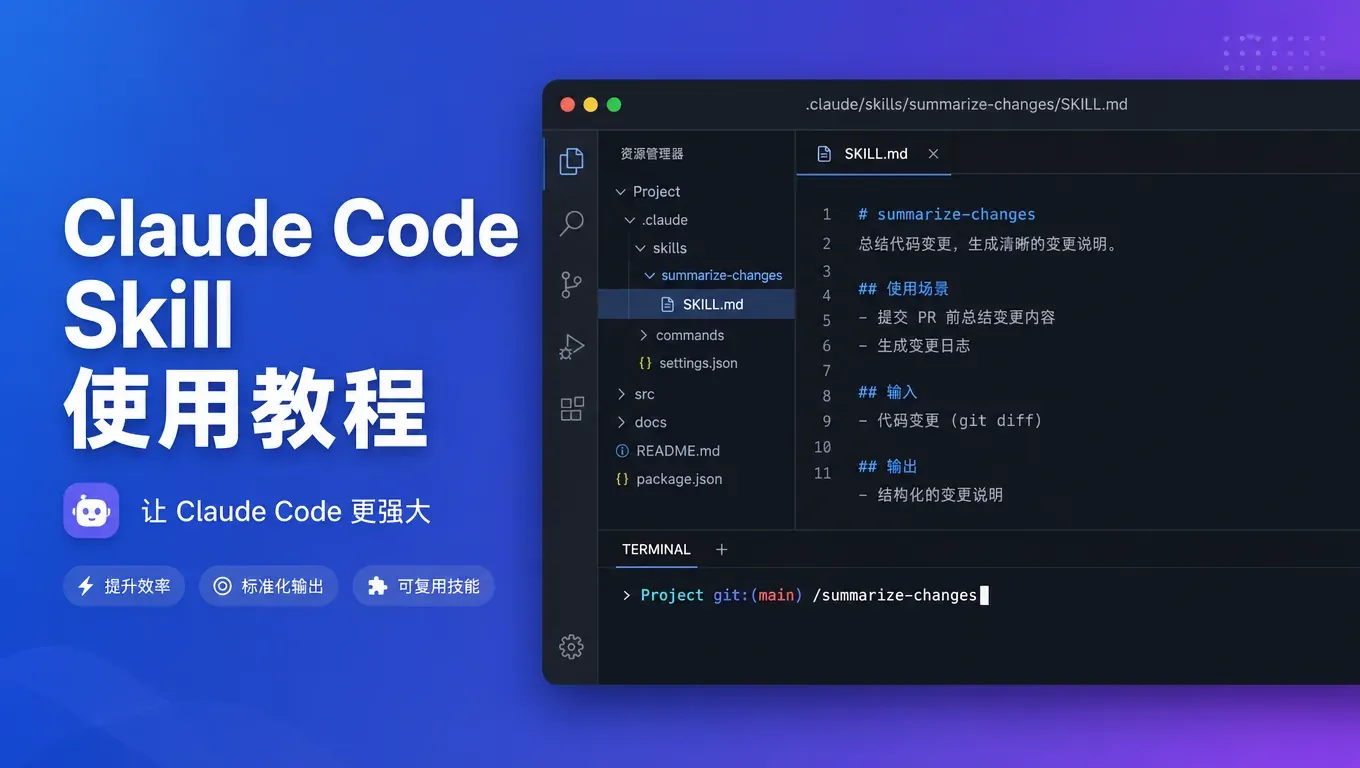
A skill is just a folder containing a SKILL.md that spells out when to use it and how to do the work. When the agent runs into a matching task, it reads the file and follows it.
From Anthropic: "A skill is a folder containing a SKILL.md file that teaches an agent a specific task or domain, along with any scripts or reference material it needs."
Normally the agent only sees each skill's name and description, and loads the full text only when it actually needs it, so installing several skills won't fill up your context.
Connect Your Client First
A skill is only an instruction manual for the agent. The model still does the work. First, connect your client to AICodeWith. Put the config in the global file so it applies to all projects.
Claude Code: open the global ~/.claude/settings.json and fill in the env block (ANTHROPIC_BASE_URL has no /v1):
{
  "env": {
    "ANTHROPIC_BASE_URL": "https://api.aicodewith.ai",
    "ANTHROPIC_AUTH_TOKEN": "sk-你的Key"
  }
}
Codex: open the global ~/.codex/config.toml and add:
model_provider = "aicodewith"
model = "gpt-6.1-sol"

[model_providers.aicodewith]
name = "aicodewith"
base_url = "https://api.aicodewith.ai/chatgpt/v1"
wire_api = "responses"
experimental_bearer_token = "sk-你的Key"
Restart your terminal after the change. If you can chat normally, the connection works. For Claude Code field details, see "How to Connect Claude Code to a Third-Party API". For Codex, see "Codex config.toml Configuration Guide".
Which Directory Skills Go In
Installing a skill means putting the skill folder into the right directory. Each skill gets its own folder, and the folder must contain SKILL.md:
~/.claude/skills/
└── summarize-changes/
    ├── SKILL.md
    └── scripts/      (可选,放脚本)
Where each tool reads from:
| Tool | Personal (available in all projects) | Project (committed to the repo, shared with the team) |
|---|---|---|
| Claude Code | ~/.claude/skills/<名字>/SKILL.md | .claude/skills/<名字>/SKILL.md |
| Codex | ~/.agents/skills/<名字>/SKILL.md | .agents/skills/<名字>/SKILL.md |
| Cursor | ~/.cursor/skills/ or ~/.agents/skills/ | .cursor/skills/ or .agents/skills/ |
From the Claude Code docs: the Personal location is "~/.claude/skills/<skill-name>/SKILL.md", which applies to "All your projects on this machine". Source: Claude Code Docs: Skills.
From the Codex docs: the USER location is "$HOME/.agents/skills"; inside a repo, "Codex scans .agents/skills in every directory from your current working directory up to the repository root". Source: OpenAI: Build skills.
A few things to know:
- In Claude Code, when two skills share the same name, the personal directory takes priority over the project directory
- Codex walks up from the current directory, all the way to the repository root, looking for
.agents/skills. - Cursor also reads
~/.claude/skills/and~/.codex/skills/, so a Skill you installed for Claude Code works in Cursor as well. - Both Claude Code and Codex automatically discover newly installed Skills. If Codex doesn't pick it up, restart it.
If you want one Skill shared across several tools, keep it in a single location and use a symlink to link it into the other tools' directories. The official Claude Code and Codex docs both state that they support symlinked Skill folders.
Two ways to install: the plugin marketplace or unzipping directly
Option 1: Install from the plugin marketplace (Claude Code). Anthropic's official document Skills (xlsx, docx, pptx, pdf) are installed this way. Run this in your terminal:
claude plugin marketplace add anthropics/skills
claude plugin install document-skills@anthropic-agent-skills
Option 2: Download and unzip into the Skill directory. Take a Skill archive and unzip it into ~/.claude/skills/<名字>/. Once you see SKILL.md inside, the install is done.
In Codex, you can use the built-in installer. For example, to install the Linear Skill:
$skill-installer linear
How to trigger a Skill
Automatic triggering: Just state what you need. The agent compares your request against the description of each Skill and loads the matching one automatically. For example, after installing the xlsx Skill, if you say "clean up this Excel sheet for me," it will kick in.
Manual invocation:
- Claude Code: type
/Skill名字, for example/summarize-changes; you can add arguments after it - Codex: type
$to pick a Skill, or run/skillsto view and select - Cursor: in an Agent chat, type
/and search for the Skill name
If you don't want the agent to use a particular Skill on its own (for example, one with side effects like deploying or sending messages), in Claude Code and Cursor you can addSKILL.mdto the header ofdisable-model-invocation: true, after which it can only be invoked manually. Codex uses theagents/openai.yamlfile in the Skill directory, where you setpolicy.allow_implicit_invocation: false.
See what's already installed: In Claude Code, you can simply ask "What skills are available?" or run /skills. In Cursor, check Customize → Skills in the sidebar.
Hands-on test: the same skill in Claude Code and Codex
To confirm that one skill works in both tools, we wrote a minimal skill: release-note-stamp. Its description says "use when writing release notes, update logs, or a changelog," and the body requires the first line of output to be a fixed marker, 【RN-STAMP-7Q】. If the marker shows up in the reply, the skill was actually loaded.
Full SKILL.md:
---
name: release-note-stamp
description: 写发版说明(release note、更新日志、changelog)时使用。把用户描述的改动整理成固定格式的中文发版说明。
---

按下面格式输出发版说明,不要输出别的内容:

第一行固定写:【RN-STAMP-7Q】
第二行写:版本类型:修复 / 新功能 / 优化(三选一)
第三行写:一句话说明改动,不超过 30 个字
Copy the same folder into each of the two directories:
cp -r release-note-stamp ~/.claude/skills/
cp -r release-note-stamp ~/.agents/skills/
Then use the same prompt in both, without naming the skill or using a slash command:
帮我给这次改动写一条发版说明:修复了登录页按钮错位。
Test environment: Claude Code 2.1.308 and Codex CLI 0.162.1, both connected to AI Code With using the global configuration above, each with its own clean, separate HOME.
| Claude Code (claude -p) | Codex (codex exec) | |
|---|---|---|
| Skill recognized? | Recognized | Recognized |
| Triggered automatically | Yes, without a slash command | Yes, without $ |
| How it loaded | Called the built-in Skill tool with the argument release-note-stamp | Used the shell to read ~/.agents/skills/release-note-stamp/SKILL.md first |
| Output matched the format | Yes | Yes |
| Time taken | 5.4 seconds | 6.6 seconds |
The final output was identical on both sides:
【RN-STAMP-7Q】
版本类型:修复
修复登录页按钮错位问题
Here are the tool calls from the Claude Code run log (excerpt):
{"name":"Skill","input":{"skill":"release-note-stamp","args":"修复了登录页按钮错位"}}
In the Codex run log, it says one line first and then reads the file (excerpt, with the path shortened to ~):
我先读取发版说明格式要求,再按项目约定整理成一条中文说明。
exec
/bin/bash -lc "sed -n '1,240p' ~/.agents/skills/release-note-stamp/SKILL.md"
As a control, we used a prompt unrelated to releases: "What is 1+1? Answer with the number only." Both answered just 2 with no marker, so the skill doesn't fire at random. Claude Code took 2.5 seconds and Codex took 8.1 seconds.
The two clients load skills differently. Claude Code uses a dedicated Skill tool, while Codex reads SKILL.md with the shell, like any ordinary file. So in Codex, if your sandbox or permission settings don't allow reading that directory, the skill won't be used. In Claude Code, you can check the run log for a Skill tool call to confirm the skill was used.
This skill is small, just a single SKILL.md, and both clients triggered it automatically. In our article "Building Games with Godot in Claude Code / Codex", we tested a large skill pack with routing. There, Claude Code had to use /router first before it would load, while Codex loaded it automatically. The more complex a skill is, the more you should test the trigger yourself in the client you actually use.
Case study 1: Cleaning up a messy spreadsheet with the xlsx Skill
After installing document-skills and then, from the directory that holds the spreadsheet, launch claude, then state your requirements in one sentence: keep the original data, create a new cleaned sheet, and use real SUMIFS formulas for the summary. Claude Code picks up the xlsx Skill automatically. On a deliberately messy sales spreadsheet, it finished in 61.5 seconds, and every summary cell was an Excel formula that recalculates on its own.
The full prompt and results are in "AI for Excel: Clean a Messy Spreadsheet in One Sentence and Auto-Generate SUMIFS Summary Formulas".
Case study 2: Organizing invoices with invoice-organizer
This Skill uses the second installation method: download the archive from SkillHub and extract it to ~/.claude/skills/invoice-organize/. Then tell Claude Code, "Use invoice-organizer to organize the invoices in this folder." It turns XML e-invoices into an Excel ledger, and checks for duplicates and verifies amounts along the way. We tested it with 6 invoices and it finished in 63 seconds, catching one pair of duplicate invoices and one invoice whose amount was overstated by 0.50 yuan.
Detailed steps are in "Testing an Invoice Skill in Claude Code: Organizing Invoices Automatically with invoice-organizer".
What to check before installing a third-party skill
A skill is more than a block of instructions. It can include scripts, and the agent will run them as written. Before installing someone else's skill, check at least these things:
- Check what's in scripts/. Open and read every script. If you can't understand one, don't install it.
- Look for network and file-deletion commands. Search the skill folder for commands like curl, wget, rm -rf, ssh, and nc, as well as any code that sends data to unfamiliar addresses.
- Check whether SKILL.md tells the agent to do anything extra. For example, reading ~/.ssh, environment variables, or key files, or running other commands "while it's at it."
- Check the source. Prefer skills published in official repositories or by authors you know. Look at the commit history and star history, and never extract an archive of unknown origin straight into your skills directory.
You can do a quick first pass with this command (replace the path with the skill folder you downloaded):
grep -rnE "curl|wget|rm -rf|ssh |nc |base64|\.ssh|API_KEY|TOKEN" ./some-skill/
A match doesn't necessarily mean something is wrong, but you should understand what each one is doing.
This risk isn't hypothetical. According to reports, JFrog's "2026 Software Supply Chain Security Report" tracked 969 malicious AI agent skills carrying high-impact payloads (WebProNews; the JFrog press release originally says "identifying 969 carrying high-impact payloads," JFrog).
AAIF's roadmap also includes a dedicated item on "security guidance for people who write and install skills," so an official security guide is on the way. Worth keeping an eye on agentskills.io.
When Codex runs commands bundled with a skill, network and file permissions are controlled by the sandbox. See "Codex Networking and Execution Security".
FAQ
What's the difference between a Skill and CLAUDE.md?
CLAUDE.md is loaded in full in every conversation, so it suits "facts," such as which framework the project uses. A Skill normally loads only its name and description, and the full text is read only when needed, so it suits "procedures," such as release steps or checklists.
What if I installed a Skill but it doesn't trigger?
First confirm the Skill is visible (in Claude Code, ask "What skills are available?"; in Codex, run /skills). If it's visible but doesn't trigger automatically, chances are the description doesn't include the words you usually use. Invoke it manually first, then revise the description. For how to write one, see "How to Write a SKILL.md".
Can the same Skill work in both Claude Code and Codex?
Yes. Both follow the Agent Skills standard. As long as SKILL.md uses only standard fields such as name and description, it works in both. Put it in each tool's own directory, or share one copy through a symlink.
How do I temporarily disable a Skill in Codex?
Add a section to ~/.codex/config.toml, then restart Codex:
[[skills.config]]
path = "/path/to/skill/SKILL.md"
enabled = false
Will installing a lot of Skills slow things down?
Each Skill's name and description stays in context at all times. In Claude Code, you can run /skill-doctor to see how much context each Skill takes up and how often it's used, then turn off the ones you don't need.
After Agent Skills was handed to AAIF, do existing skills still work?
Yes. Anthropic's original post states, "You can continue to use the standard or contribute to it without joining the AAIF." The SKILL.md format did not change because of the transfer.
Do Claude Code and Codex use the same skill directory?
No. Claude Code's personal directory is ~/.claude/skills/, while Codex's is ~/.agents/skills/. Put the same skill folder in each tool's directory (or use a symlink) and both can share it. In our testing, both triggered automatically.
For more Codex-specific details, see "How to Use Codex Skills: From SKILL.md to Trigger Verification".
Related Reading
- "How to Write a SKILL.md: Turn Repetitive Workflows into Your Own Skill"
- "How to Use Codex Skills: From SKILL.md to Trigger Verification"
- "Making Games with Godot in Claude Code / Codex: Hands-On with a Game Development Skill Pack"
- "Hands-On with the Claude Code Invoice Skill"
- "Codex Networking and Execution Security"
- "How to Connect Claude Code to Third-Party APIs"
- "Codex config.toml Configuration Guide"