Let's start with the finished product. Below is the daily digest the script generated automatically today (2026-10-12) (excerpt): I kept only "Today's Highlights" and entries 2 and 7. The rest are removed, and entries 2 and 7 show only some of their fields (marked with ……). The sentences that remain are unedited. The full original is at the end of the article.
Today's Highlights
Today's main thread is clear: agents are expanding from "helping you write code" into reverse engineering, diagramming, and visual creation, and tooling is shifting from chat boxes toward MCP, Skills, and purpose-built IDEs. Meanwhile, AnyPS5 and AirLLM both sidestep the resource overhead of traditional approaches, but "it runs" doesn't mean "it runs comfortably." You still need to look closely at the compatibility, disk, and memory bill.
2. boykopovar/AnyPS5 (C++, +3,952 stars today, GPL-2.0, created 2026-08-03)
- What it does: It converts PS5 executables into native formats that can run on Linux or Windows, and adds an implementation of the system PRX libraries that can be dynamically linked.
- ……
- What's interesting: It takes the relinker route. It's not an emulator and doesn't start a separate runtime. The shader recompiler can generate SPIR-V, which can be validated with SPIRV-Tools.
- Heads up: The project is only a little over two months old, and compatibility is limited. The README explicitly cites only Dreaming Sarah as running stably at 60 fps on a GTX 1050 Ti and an i5-7500. ……
7. lyogavin/airllm (Jupyter Notebook, +548 stars today, Apache-2.0, created 2023-06-12)
- ……
- Heads up: Saving VRAM doesn't mean saving other resources. The Qwen3.8-Flash-Next example in the README still needs about 64GB of host memory and about 360GB of disk for the checkpoint ……
Pay attention to the "Heads up" field. It digs the hardware requirements, license, and maturity out of the README for you, which is far more useful than looking at star counts alone. The full digest is at the end of the article.
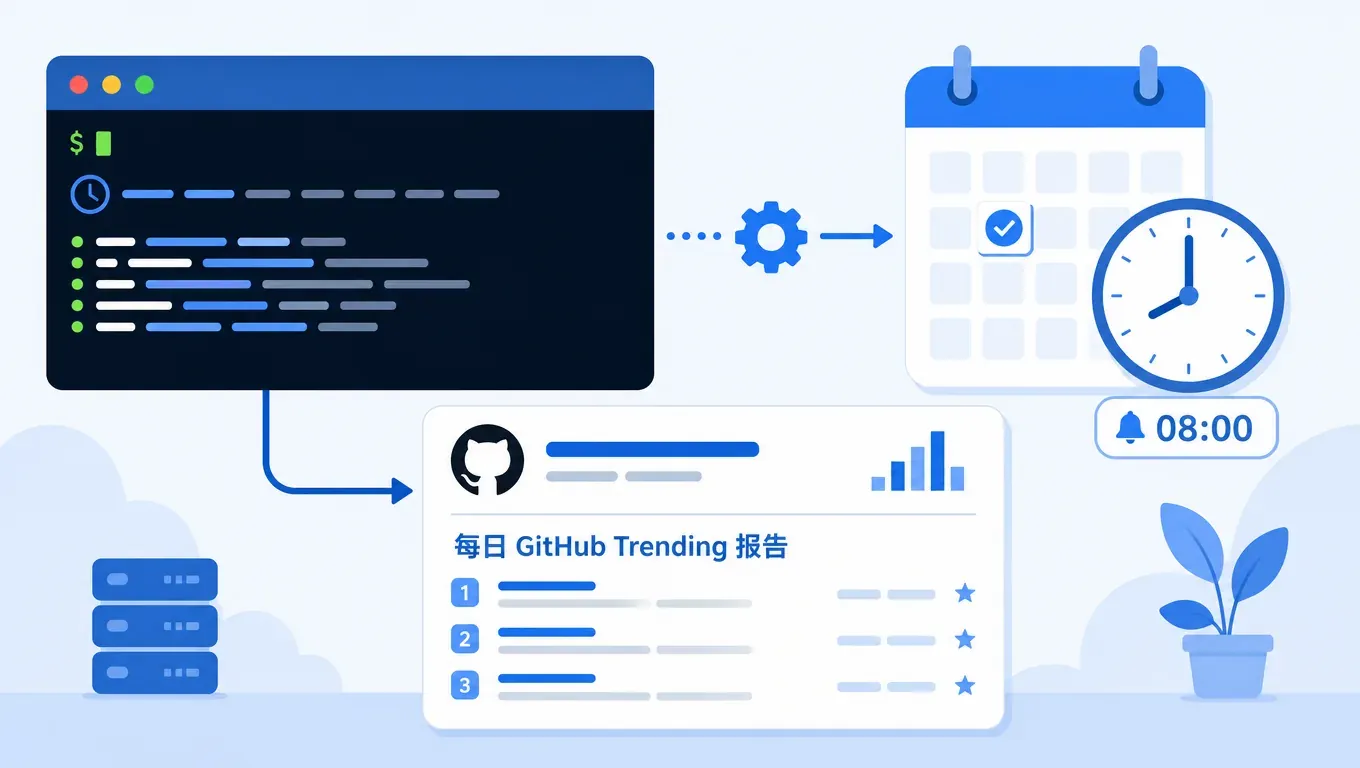
Every morning when you wake up, this write-up is sitting in your folder. This time it took just 43 seconds to generate. No n8n and no server dashboard. A bash script and one line of cron are enough.
Who this is for
- People who want to skim GitHub trending every day but don't want to click into each repo and read English descriptions;
- People who want to build up material for a team chat or a WeChat official account;
- People who want to learn how to run
codex execinside a script. This is the smallest, most practical example.
Prerequisites
- Node.js 16+, then
npm i -g @openai/codex(I'm using 0.162.1) - An AI Code With API key: sign up or log in to the console and then create one
- Linux or macOS (with cron), plus curl and python3 (the system defaults are fine)
Step 1: Point the Codex config at the AI Code With relay
Open the global Codex config at ~/.codex/config.toml (create it if it doesn't exist) and change it to the following:
model_provider = "aicodewith"
model = "gpt-5.6-sol"

[model_providers.aicodewith]
name = "aicodewith"
base_url = "https://api.aicodewith.ai/chatgpt/v1"
wire_api = "responses"
experimental_bearer_token = "sk-你的Key"
Don't keep theenv_keyline, or Codex will reportMissing environment variable: AICW_API_KEY, and the key written in the file won't take effect.
The key goes in this config file. For the config used in day-to-day interactive work, see the Codex CLI setup docs.
Step 2: The script (copy and run)
Step 2 is labeled "copy and run," but before you put it in cron, theCODEX_BINline in the script must be changed to the full path returned bywhich codex, or the scheduled job won't find codex.
Create a folder named ~/trending-daily and save the script inside it as trending-daily.sh, then run chmod +x trending-daily.sh:
#!/usr/bin/env bash
# 每天抓 GitHub Trending,用 codex exec 生成中文日报
set -euo pipefail
cd "$(dirname "$0")"
# 上 cron 前必须改这一行:换成 which codex 的完整路径
CODEX_BIN="${CODEX_BIN:-$(command -v codex || echo $HOME/.local/bin/codex)}"
DAY=$(date +%F); mkdir -p data reports logs

# 1) 联网抓取放在 codex 外面(codex 沙箱默认不能联网)
curl -sfL --retry 3 "https://github.com/trending?since=daily" -o "data/$DAY.html"
python3 - "$DAY" <<'PY'
import re, html, json, sys
day = sys.argv[1]
t = open(f"data/{day}.html", encoding="utf-8").read()
out = []
for a in t.split('<article class="Box-row')[1:11]:
    m = re.search(r'<h2[^>]*>\s*<a[^>]*href="/([^"]+)"', a)
    if not m: continue                      # GitHub 改版时跳过,别让整份日报挂掉
    name = m.group(1)
    desc = re.search(r'<p class="col-9[^"]*">(.*?)</p>', a, re.S)
    lang = re.search(r'itemprop="programmingLanguage">([^<]+)<', a)
    nums = re.findall(r'</svg>\s*([\d,]+)\s*</a>', a)
    today = re.search(r'([\d,]+) stars? today', a)
    out.append({
        "repo": name, "url": f"https://github.com/{name}",
        "desc": html.unescape(re.sub(r"\s+", " ", desc.group(1))).strip() if desc else "",
        "lang": lang.group(1) if lang else "",
        "stars": nums[0] if nums else "", "forks": nums[1] if len(nums) > 1 else "",
        "stars_today": today.group(1) if today else "",
    })
# 补充每个仓库的 README(截前 2500 字)和基本信息(创建时间、协议)
import urllib.request, re as _re
def get(url, accept):
    req = urllib.request.Request(url, headers={"Accept": accept, "User-Agent": "trending-daily"})
    try:
        with urllib.request.urlopen(req, timeout=20) as r: return r.read().decode("utf-8", "ignore")
    except Exception as e: return ""
for r in out:
    meta = get(f"https://api.github.com/repos/{r['repo']}", "application/vnd.github+json")
    try:
        m = json.loads(meta); r["created_at"] = m.get("created_at", "")[:10]
        r["license"] = (m.get("license") or {}).get("spdx_id") or "无"
    except Exception: r["created_at"] = r["license"] = "未知"
    md = get(f"https://api.github.com/repos/{r['repo']}/readme", "application/vnd.github.raw")
    md = _re.sub(r"<[^>]+>|!\[[^\]]*\]\([^)]*\)", "", md)   # 去掉 HTML 标签和图片
    md = _re.sub(r"\n{3,}", "\n\n", md).strip()
    r["readme"] = md[:2500] if md else "(README 获取失败)"
if not out: sys.exit("一个仓库都没解析到,可能 GitHub 改版了")
json.dump(out, open(f"data/{day}.json", "w"), ensure_ascii=False, indent=1)
print(f"抓到 {len(out)} 个仓库,README 成功 {sum(1 for r in out if not r['readme'].startswith('('))} 个")
PY

# 2) 把数据交给 codex,只让它写字,不让它联网、不让它改文件
PROMPT="你是一个懂技术、说话直的中文科技编辑,给中国开发者写每日 GitHub Trending 点评。
下面是今天($DAY)的榜单 JSON,每个仓库带了 README 前 2500 字、创建日期 created_at 和开源协议 license。
输出中文 Markdown,结构如下:
# GitHub Trending 中文日报 · $DAY
## 今日看点
2-3 句,点出今天榜单的共同趋势或反差,要有观点。
## 榜单
每个仓库:### 序号. owner/repo(语言,今日 +N star,协议,创建于 YYYY-MM-DD)
- **到底干嘛的**:根据 README 用大白话说清楚(1-2 句)
- **有意思的点**:README 里提到的具体技术做法或设计(写具体名词,别写“功能强大”)
- **能用来干嘛**:一个具体使用场景
- **要注意**:成熟度/限制/协议/硬件要求等,比如仓库很新、无协议、README 自称实验性
- 链接
## 编辑推荐
挑 1 个今天最值得动手试的,给出理由和第一步该怎么试(命令或操作要来自 README)。
硬性要求:只用给定数据里的事实,README 没写的不要编,片段里没提到的就写“所给 README 片段未提及”;README 获取失败的就只根据描述写并注明;语气可以活泼、可以吐槽,但不要夸张营销词(颠覆、炸裂、王炸);直接输出 Markdown,不要代码块包裹全文。
数据:
$(cat "data/$DAY.json")"

"$CODEX_BIN" exec --sandbox read-only --skip-git-repo-check --json \
  -o "reports/$DAY.md" "$PROMPT" < /dev/null > "logs/$DAY.jsonl"

grep -o '"usage":{[^}]*}' "logs/$DAY.jsonl" | tail -1
echo "日报已生成:reports/$DAY.md"
The idea comes down to four points:
- curl fetches the page, and python extracts it into JSON. The fetching happens outside Codex, because the Codex sandbox has no network access by default.
- Then add the README (truncated to the first 2,500 characters), creation date, and license to each repo, using the public GitHub API, so no token is needed. This step is what turns the digest from "restating a one-line description" into real commentary: once the model has the README, it can write about concrete technical approaches and pitfalls.
- Stuff the JSON into the prompt and let Codex handle only the writing. Run it with
--sandbox read-only, so it can neither modify files nor reach the network. Keep in mind, though, that the README is external content and may carry prompt injection that skews the digest's wording or slips in odd links. That's fine if you're just reading it yourself, but if you plan to push it to a group chat automatically, give it a manual look first. -owrites the final answer straight to a Markdown file.--jsonkeeps the token usage in its log.
Step 3: Run it once by hand
./trending-daily.sh
Here's what I got:
抓到 8 个仓库,README 成功 8 个
"usage":{"input_tokens":20626,"cached_input_tokens":12544,"cache_write_input_tokens":0,"output_tokens":2370,"reasoning_output_tokens":91}
日报已生成:reports/2026-10-12.md
(That day there were only 8 repos on the Trending page, and the script takes at most 10.)
Step 4: Let cron run the codex exec job at 8 AM every day
Use crontab -e and add one line:
0 8 * * * $HOME/trending-daily/trending-daily.sh >> $HOME/trending-daily/logs/cron.log 2>&1
Note: cron uses the machine's local time zone. If your server is on UTC, 8 AM Beijing time needs to be written as0 0 * * *. On macOS, cron needs "Full Disk Access" granted tocronin System Settings. Apple recommends launchd instead, and the idea is the same.
Pitfalls I hit (1 to 4 actually happened this time, and 1 came up when I simulated the cron environment with env -i)
1. Error in cron: codex: command not found.
I used env -i to simulate cron's nearly empty environment. The fetch succeeded, but it failed when it got to calling Codex. The reason is that cron's PATH contains only /usr/bin:/bin, and the globally installed npm codex isn't in there. At first I wrote $(npm prefix -g)/bin, which didn't work either: my shell sets NPM_CONFIG_PREFIX, cron doesn't have that variable, so the computed path came out different. The most reliable fix is to look up the absolute path with which codex and hard-code it in CODEX_BIN.
2. Stuck on Reading additional input from stdin....
When running codex exec in a script, you must add < /dev/null, or it will keep waiting on standard input. With it added, that line still gets printed, but it no longer hangs.
3. A line in the log: ERROR codex_core::util: OutputTextDelta without active item.
It showed up in both runs of the first version (not in the upgraded version's run), but the exit code was 0 and the digest was complete, so you can ignore it.
4. The license returned by the GitHub API is NOASSERTION.
pytorch clearly has a license file, yet the API returned NOASSERTION, because GitHub couldn't automatically identify which license it is. The model dutifully wrote "license not specified" instead of guessing, but readers might get the wrong idea. For a more accurate answer, check the repo's LICENSE file yourself.
5. (Didn't hit this one, but here's a heads-up) Calling the GitHub API without a token allows only 60 requests per hour.
Each digest makes about 16 calls (2 per repo), so running once a day is plenty. While debugging, a few runs in a row can hit the limit, and then the README shows "fetch failed." The prompt already tells the model to write from the description alone in that case.
Before and after adding the README
The first version gave the model only the one-line description from the Trending page, and this is what came out (same day, same repo):
- In one sentence: automatically ports PS5 executables to PC operating systems.
- Why it's hot: judging from the description, it targets the automation need of porting PS5 programs to Linux and Windows, and the topic is eye-catching enough.
True, but it was mostly rephrasing the description, and all eight entries began with "judging from the description...". Once the README is added, the model can write concrete details like relinker, SPIR-V, the specific games and hardware that run reliably, and the 64GB memory requirement. I picked 7 specific claims and searched the original README for each. All of them traced back to a source.
The cost is that input tokens double, and output doubles too.
Measured runtime
Here are the timings from two runs:
| Version | Time |
|---|---|
| First version (description only) | 87 seconds |
| First version (second run) | 153 seconds |
| Upgraded version (with README) | 43 seconds |
The timings vary a lot (43 to 153 seconds), mostly depending on how fast the API was responding at the time.
What else you can do
- Push to a group chat: add a line at the end of the script,
curl, to post to a Feishu, DingTalk, or Telegram webhook, and the report is waiting in the group chat in the morning (I didn't actually run this step); - Swap the data source: change
since=dailytosince=weeklyfor a weekly report, or add/trending/pythonto see only Python; - Filter for what you care about: add a line to the prompt like "only pick projects related to AI Agents."
Related tutorials
- Codex config.toml explained
- How to set Codex environment variables
- Codex automation permissions guide
- Codex API usage and costs
Appendix: the full 2026-10-12 daily report (upgraded version, unedited output)
Repository information comes from each project's README and public GitHub data, and copyright belongs to the original authors. The commentary is AI-generated and spot-checked by a human. This report was generated before I added the "not mentioned in the excerpt" constraint to the script, so the current script's prompt has one more rule than the one used here.
Today's highlights
The main thread today is clear: Agents are expanding from "helping you write code" into reverse engineering, diagramming, and visual creation, and tools are shifting from chat boxes toward MCP, Skills, and dedicated IDEs. Meanwhile, AnyPS5 and AirLLM both sidestep the resource overhead of traditional approaches, but "it runs" doesn't mean "it runs comfortably." You still need to look closely at the compatibility, disk, and memory bill.
The list
1. morluto/rea (TypeScript, +25,599 stars today, MIT, created 2026-04-14)
- What it does: connects an Agent to a set of reverse engineering tools so it can inspect native binaries, JavaScript/Electron apps, .NET programs, and websites, and explain with evidence how a given feature is implemented.
- What's interesting: it exposes its analysis capabilities through a single MCP. Native analysis can reuse Hopper, Ghidra, or IDA, while static JavaScript analysis needs no native analysis engine. Analysis runs locally, and conclusions come with evidence and limitations.
- What you can use it for: if you spot a nice interaction in an Electron app, have the Agent analyze how it's implemented, then build your own version for your project.
- Keep in mind: the repo is only about six months old, and native binary analysis still relies on external tools like Hopper, Ghidra, or IDA.
- Link: https://github.com/morluto/rea
2. boykopovar/AnyPS5 (C++, +3,952 stars today, GPL-2.0, created 2026-08-03)
- What it does: converts PS5 executables into a native format that runs on Linux or Windows, and supplies an implementation of the system PRX libraries that can be dynamically linked.
- What's interesting: it takes the relinker route, with no emulator and no separate runtime. Its shader recompiler can generate SPIR-V, which can be validated with SPIRV-Tools.
- What you can use it for: researching and verifying binary compatibility of PS5 games you legally obtained, on a PC.
- Keep in mind: the project is just over two months old and its compatibility is limited. The README only explicitly cites "Dreaming Sarah" running stably at 60 fps on a GTX 1050 Ti and an i5-7500. When it hits something unsupported or an unexpected state, it throws
std::runtime_errorand terminates the process. GPL-2.0 only places clear constraints on distributing derivative versions. - Link: https://github.com/boykopovar/AnyPS5
3. storytold/artcraft (Rust, +2,957 stars today, Apache-2.0, created 2022-03-31)
- What it does: an AI image and video IDE for artists, designers, and filmmakers. You can first build the scene and set the composition and camera position, then choose a model to generate content.
- What's interesting: it offers 2D layer compositing, background removal, and drawing tools, along with 3D compositing, image-to-mesh conversion, character posing, and kitbashing scene building. The focus is on making composition and shots repeatably controllable.
- What you can use it for: place characters and a camera in the same virtual room, then plan a sequence of shots with a consistent environment and character positions.
- Keep in mind: the README excerpt provided mainly covers creative features. It doesn't say which generation models are supported, what the hardware requirements are, or how complete the features currently are, so check the project docs further before choosing it.
- Link: https://github.com/storytold/artcraft
4. cathrynlavery/diagram-design (HTML, +1,083 stars today, MIT, created 2026-04-16)
- What it does: a Skill that lets a coding Agent generate editorial-style diagrams. You describe what you need in natural language, and it picks a diagram type and produces a single-file HTML you can open right away.
- What's interesting: it supports 44 diagram types, with self-contained HTML + SVG output. It can also extract colors and fonts from a website so later diagrams match your existing brand, and it supports importing from draw.io, Mermaid, or Excalidraw.
- What you can use it for: have the Agent generate a project architecture diagram covering the frontend, backend, database, and Redis cache, ready to drop into docs or a review meeting.
- Keep in mind: it depends on a host that supports Agent Skills. The README specifically warns that official builds are published only from this repo, and listings under other names are unofficial copies. When networked data is involved, check
PRIVACY.mdfirst. - Link: https://github.com/cathrynlavery/diagram-design
5. bilawalsidhu/gods-eye-view (JavaScript, +886 stars today, license not specified, created 2026-06-22)
- What it does: overlays public signals such as aircraft, ships, satellites, earthquakes, traffic, and public cameras onto a photorealistic 3D globe, and supports voice control through a real-time AI Agent.
- What's interesting: it unifies sources as different as flight transponders, ship beacons, orbital elements, and seismometers into explorable layers. The app runs in the local browser, and the first launch doesn't require an API Key.
- What you can use it for: drill down from the global picture to a single aircraft, ship, or street in one interface, and keep adding your own spatial data layers.
- Keep in mind: not everything on screen is a real-time observation. Traffic is simulated on real roads from aggregated location data, and CCTV camera poses and rocket trajectories are only rough estimates. The data provided doesn't confirm its open-source license.
- Link: https://github.com/bilawalsidhu/gods-eye-view
6. pytorch/pytorch (Python, +315 stars today, license not specified, created 2016-08-13)
- What it does: Provides NumPy-like tensor computation with GPU acceleration, and builds and trains neural networks using an autograd system based on dynamic computation graphs.
- What's interesting: The core components include the tensor library
torch, the tape-basedtorch.autograd, and, deeply integrated with tensors,torch.nn; it also works with NumPy, SciPy, and Cython extensions. - What you can use it for: Writing neural network training code in Python that needs dynamic control flow, and running the tensor computation on the GPU.
- Watch out for: Different hardware means different install paths, such as NVIDIA CUDA, AMD ROCm, Intel GPU, or Jetson, so a single
pip installwon't cover every case. The license field provided isNOASSERTION, and while the README snippet lists a License section, it gives no actual license text. - Link: https://github.com/pytorch/pytorch
7. lyogavin/airllm (Jupyter Notebook, +548 stars today, Apache-2.0, created 2023-06-12)
- What it does: Streams model weights in layer by layer, so very large models can run inference, and even some training, on small-VRAM GPUs without relying on quantization, distillation, or pruning.
- What's interesting: During training, frozen weights stream in layer by layer and only the adapter stays on the GPU. For Kimi K3, it loads experts as a stream, pulling in only the experts the current token is actually routed to. Qwen3.8-Flash-Next's large n-gram table is mapped to a file on the host.
- What you can use it for: Experimenting with 70B model inference on a single-GPU machine with limited VRAM, without quantizing or pruning first.
- Watch out for: Saving VRAM doesn't mean saving other resources. The README's Qwen3.8-Flash-Next example still needs about 64GB of host memory and about 360GB of disk for the checkpoint. Some models also require a specific Transformers version,
compressed-tensors,flash-attn, and other dependencies. - Link: https://github.com/lyogavin/airllm
8. chrislgarry/Apollo-11 (Assembly, +466 stars today, license not specified, created 2014-04-03)
- What it does: Preserves the original assembly source code for the Apollo 11 guidance computer, including Comanche055 for the command module and Luminary099 for the lunar module.
- What's interesting: The code was digitized by Virtual AGC and the MIT Museum. The project accepts PRs that fix transcription discrepancies against the original scans, so it is both a source repository and a digital-archive proofreading project.
- What you can use it for: Studying how the Apollo guidance computer software was organized, or helping proofread the source against the original Luminary 099 and Comanche 055 scans.
- Watch out for: This is not a general-purpose development library for modern hardware. The project's goal is to faithfully preserve historical source code. The data provided does not confirm its open-source license.
- Link: https://github.com/chrislgarry/Apollo-11
Editor's Pick
The one most worth trying hands-on today is cathrynlavery/diagram-design. The reasoning is simple: both the input and the output are light. After installing, you describe what you want in natural language and get a self-contained HTML + SVG file you can open with a double-click, with no need to set up model weights, reverse-engineering tools, or special hardware first.
Step one is to install it following the README:
npx skills add cathrynlavery/diagram-design
Then just tell the Agent:Make me an architecture diagram of my app: frontend, backend, database, Redis cache.