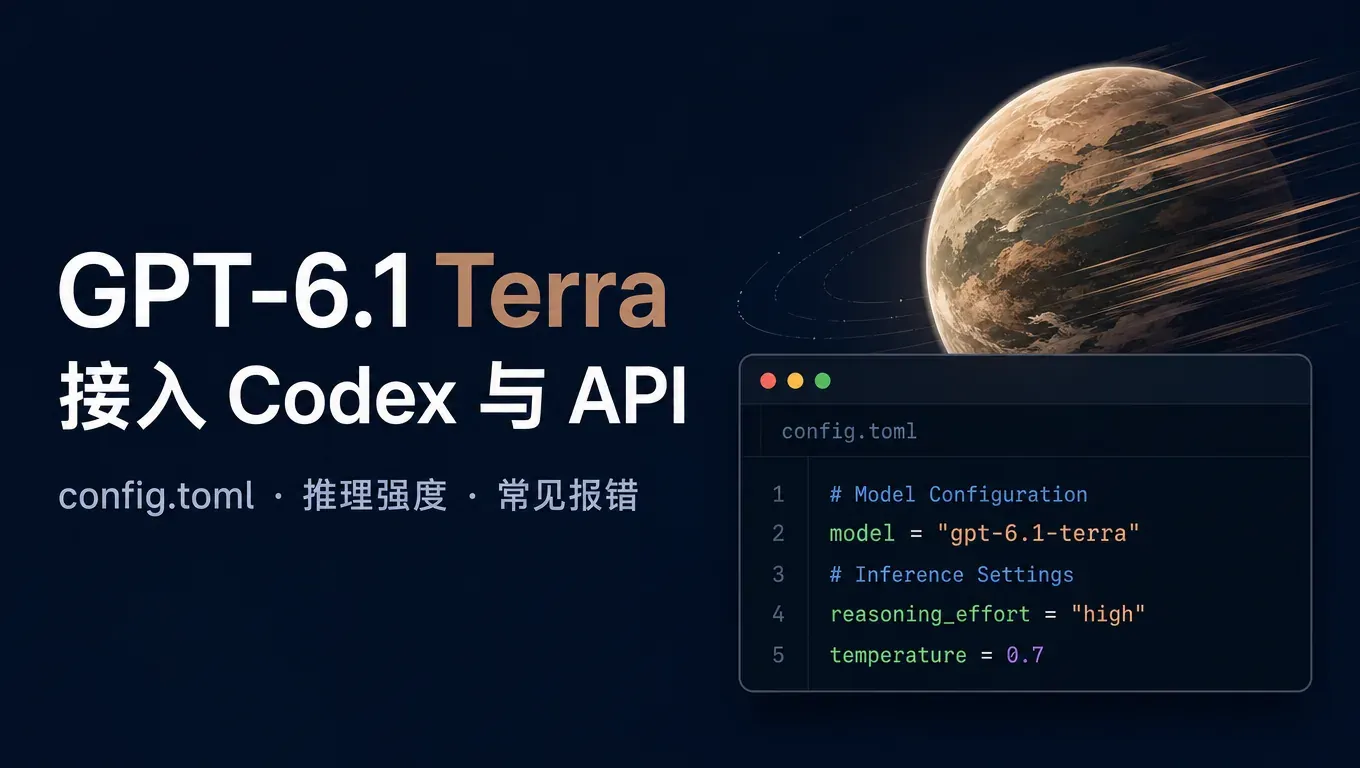
先说结论:OpenAI 在 2026 年 10 月 26 日(北京时间 10 月 27 日凌晨)发布了 GPT-6.1 Terra,API 里的模型名是 gpt-6.1-terra,ChatGPT Work 和 Codex 里也能选。想在 Codex 里用,只要把全局 ~/.codex/config.toml 里的 model 改成 gpt-6.1-terra;想直接调 API,请求体里写 "model": "gpt-6.1-terra" 就行。
我们在本站接口上实测:用 Codex 0.164.0 接 gpt-6.1-terra,让它修一个函数 bug、写测试并运行,从启动到完成约 18 秒,测试通过。推理强度 low / medium / high / xhigh 都能正常返回,写 ultra 会报 400。
创建 API Key,开始用 gpt-6.1-terra →
GPT-6.1 Terra 是什么、和 Sol 怎么分
据 OpenAI 官方在 X 上的发布帖,GPT-6.1 Terra 主打速度更快的电脑操作(computer use):能看懂屏幕内容、跨应用执行操作,适合大批量的日常工作流。官方给出的几条关键信息:
- 比 GPT-5.6 Terra 有明显提升;
- 在 Agents' Last Exam(测 agent 使用专业软件能力的评测)上,表现和 GPT-6 Astra 持平,平均完成任务速度比 Astra 和 GPT-6.1 Sol 快 3 倍以上;
- 在 ChatGPT Work 和 Codex 里,用 Terra 比用 GPT-5.6 时额度更耐用。
以上都是 OpenAI 自己公布的数据,来源:OpenAI 发布帖、额度说明、评测说明、API 上线说明。
怎么选,简单记:
| 场景 | 建议 |
|---|---|
| 改小 bug、写测试、批量重复的脚本任务 | 先用 gpt-6.1-terra,速度快 |
| 读截图、操作软件界面的 agent 任务 | gpt-6.1-terra,这是它主打的方向 |
| 大型重构、复杂架构设计、难排查的问题 | 仍建议 gpt-6.1-sol 或 Claude Opus 5.5 |
这两个模型怎么选,见《GPT-6.1 Sol vs Claude Opus 5.5 怎么选》。
难题别一上来就换,先拿小任务试,再决定日常用哪个。
第一步:创建 API Key
- 打开 AI Code With,注册并登录;
- 进入控制台的 API Key 页面,新建一个 Key;
- 复制完整的
sk-开头的 Key,下面两种用法都要用到。
模型说明见本站GPT-6.1 Terra 模型页。
在 Codex 里用 GPT-6.1 Terra
写全局 config.toml
打开 ~/.codex/config.toml(Windows 在 %USERPROFILE%\.codex\config.toml),写入下面这段,把 sk-你的Key 换成自己的 Key:
model_provider = "aicodewith"
model = "gpt-6.1-terra"
model_reasoning_effort = "medium"

[model_providers.aicodewith]
name = "aicodewith"
base_url = "https://api.aicodewith.ai/chatgpt/v1"
wire_api = "responses"
experimental_bearer_token = "sk-你的Key"
注意两点:
- Key 和 Provider 只能写在全局 config.toml 里,写在项目的
.codex/config.toml里会被 Codex 忽略; - 已经配过 gpt-6.1-sol 的,只改
model这一行就行,其他不用动。
每个字段什么意思、放在哪个目录,见《Codex config.toml 配置详解》和《Codex API Key 怎么配》。
不改文件,临时切一次
只想试一下、不改配置时,启动时加参数:
codex --model gpt-6.1-terra
实测:修 bug + 写测试,约 18 秒
我们准备了一个只有一行 bug 的 calc.py(add 函数写成了 a - b),用 Codex 0.164.0 非交互模式跑:
codex exec -s workspace-write "calc.py 里的 add 函数有 bug,修好它,再写一个 test_calc.py 用 assert 测 add(2,3)==5 并用 python3 运行它"
启动信息里能看到模型确实切过去了:
model: gpt-6.1-terra
provider: aicodewith
reasoning effort: medium
结果:Codex 把 a - b 改成了 a + b,新建了 test_calc.py,自己运行 python3 test_calc.py 通过,从启动到退出约 18 秒。这只是一个很小的任务,用来确认链路通、速度快;大任务的表现请用自己的项目再测。
Codex 的日常用法(斜杠命令、中途插话纠偏)见《Codex 怎么用》。
用 API 直接调 gpt-6.1-terra
本站兼容 OpenAI Responses API,地址是 https://api.aicodewith.ai/chatgpt/v1/responses:
curl https://api.aicodewith.ai/chatgpt/v1/responses \
  -H "Authorization: Bearer sk-你的Key" \
  -H "Content-Type: application/json" \
  -d '{
    "model": "gpt-6.1-terra",
    "input": "reply with the word ok",
    "reasoning": {"effort": "medium"}
  }'
我们实测返回 HTTP 200,model 字段是 gpt-6.1-terra,status 是 completed,输出 ok,整次请求约 1.9 秒。
推理强度可以填哪些值
我们用同一个简单问题逐个试了 reasoning.effort:
| 填的值 | 结果 |
|---|---|
| low | 200,正常返回 |
| medium | 200,正常返回 |
| high | 200,正常返回 |
| xhigh | 200,正常返回 |
| ultra | 400 报错 |
填 ultra 时接口返回:
Invalid value: 'ultra'. Supported values are: 'none', 'minimal', 'low', 'medium', 'high', 'xhigh', and 'max'.
X 上有人说「Terra Ultra」,那是界面里的叫法,写进 API 或 config.toml 的 model_reasoning_effort 时不能填 ultra,要从上面报错里列出的值里选。日常编码建议从 medium 开始,难题再往上调。
常见报错怎么办
模型 gpt-6.1-terra 不存在或未上线(400)
上线前我们调用时收到过这条:
模型 gpt-6.1-terra 不存在或未上线
现在本站已经可以正常调用。如果你还看到这条,检查:
- 模型名是不是写成了
gpt-6.1 terra、gpt6.1-terra、GPT-6.1-Terra等,正确写法是全小写gpt-6.1-terra; - 是否用的是别家服务的地址或 Key,
base_url要是https://api.aicodewith.ai/chatgpt/v1。
Invalid value: 'ultra'(400)
推理强度填错了,按上一节的可选值改成 high 或 xhigh。
401 / 429
Key 填错或没带上会报 401,见《Codex 401 Unauthorized 怎么解决》;请求太密会报 429,见《Codex 429 Too Many Requests 怎么办》。
常见问题
GPT-6.1 Terra 能在 Claude Code 里用吗?
Claude Code 默认接 Anthropic 的 Claude 模型。想用 Terra,走 Codex 或直接调 API 更省事;想在 Claude Code 里用本站的 Claude 模型,见《Claude Code 第三方 API 配置》。
Terra 和 Sol 要不要都配?
不用配两套。同一个 Provider 下只换 model 即可,平时用 Terra,遇到难题临时用 codex --model gpt-6.1-sol 切过去。
还没装 Codex 怎么办?
先按《Codex 安装教程》装好 Codex CLI,再回到本文写 config.toml。国内接入的整体说明见Codex 中转接入页。