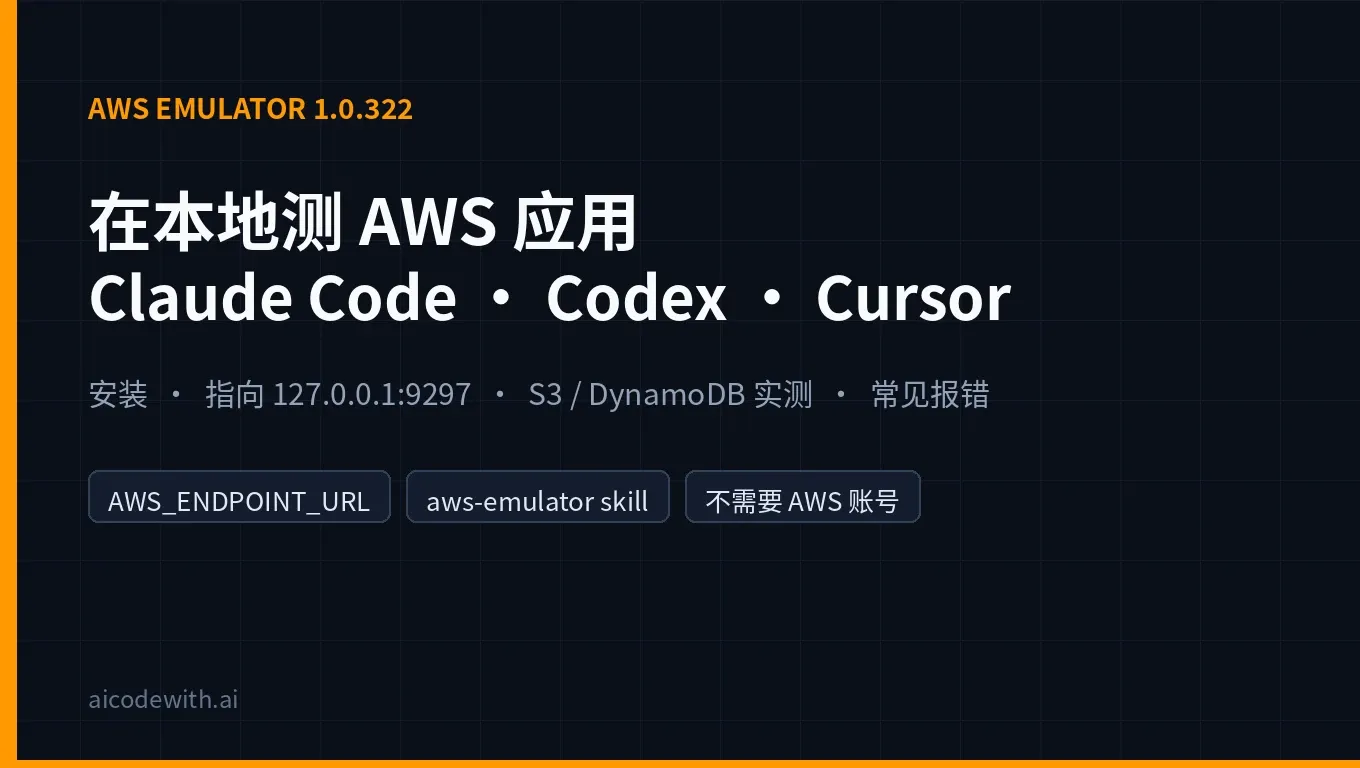
AWS Emulator is AWS's official local emulator of AWS. It serves an HTTPS endpoint on your own machine, and the AWS CLI, the AWS SDKs and coding agents call it with the same APIs they use in the cloud. You need no AWS account, and nothing it creates is a real cloud resource. According to the AWS News Blog, it became generally available (GA) on November 11, 2026 (US time), which was around 2:00 a.m. on November 12 in Beijing time.
On November 13, 2026 (Beijing time, UTC+8) we installed AWS Emulator 1.0.322, the version on the LTS channel at the time, on a Debian 13 x86_64 machine. With AWS CLI 2.40.1 we created an S3 bucket, a DynamoDB table, an SQS queue and a Lambda function. Then we had Claude Code 2.1.319 and Codex CLI 0.167.0 each write code and run tests against the emulator. Every command, timing and output below comes from that run.
The short answer
| Question | Answer |
|---|---|
| What is AWS Emulator? | AWS's official local emulator of the AWS APIs, written in Rust, with no graphical interface. According to AWS, it is built from more than 400 API models and covers more than 200 AWS services. |
| Is there a service fee? Do I need an AWS account? | According to AWS, there is no additional service fee and no AWS account is needed. The source is on GitHub under the CC0 public-domain dedication. |
| How do I install it? | On Linux, install the RPM or Debian package. On macOS and Windows, build an image from the Dockerfile in the official docs (AWS does not publish a ready-made image). Rust projects can also use embedded mode. |
| How do I use it? | Run aws-emulator. It listens on https://127.0.0.1:9297 by default. Set a few environment variables so the AWS CLI and SDKs point at it; your application code stays the same. |
| What did our test show? | Download plus install took about 6 seconds, and the health check returned ok about 0.3 seconds after start. S3, DynamoDB, SQS and Lambda all worked. Claude Code finished the same "S3 + DynamoDB + pytest" task in about 32 seconds and Codex in about 81 seconds, with 2 passed on both. |
| The one thing to watch | It does not evaluate IAM policies the way AWS does, and it emulates a single account in a single Region. Test permissions and security on real AWS before production. |
What AWS Emulator is
According to the AWS News Blog, AWS Emulator generates its own credentials, a config file and a certificate when it starts, and writes them to ~/.aws/emulator/9297/. Once your SDK's environment variables point there, requests go to your machine instead of AWS. It is built from the same API models the AWS SDKs use, so the data and errors you get back have the same shape as in the cloud.
The main use case is coding agents. According to @AWSNewsroom, every line of AWS Emulator's code was written by autonomous AI agents running on Amazon Bedrock AgentCore, with hundreds of agents organized into three teams that write tests, implement features and review changes. According to AWS's Swami Sivasubramanian in his guest post on All Things Distributed, the agents first write "fidelity tests" and make them pass against real AWS, then build the emulator until it passes the same tests. AWS CTO @Werner says it was written and tested entirely by agents and gives you a high-fidelity test environment for more than 200 AWS services.
The launch drew a lot of attention. By X's public metrics, as of early November 13 (Beijing time), the @AWSNewsroom launch post had about 111,000 views, 705 likes and 206 reposts, and the @awsdevelopers launch post had about 78,000 views, 1,203 likes and 758 bookmarks. The aws/aws-emulator GitHub repository had about 4,400 stars at the same time.
Timeline
| Time (Beijing time) | Event |
|---|---|
| November 11 | 1.0.322 released (aws-emulator -v shows a release date of 2026.11.10) |
| November 12, about 02:00 | The AWS News Blog, Werner and the official AWS accounts announce GA |
| November 13, 00:16 | The LTS/latest package we downloaded was still 1.0.322; v1.0.336 appeared on GitHub Releases at the same time |
AWS Emulator ships releases very often, and the official skill says to always use the latest one, so your version number will probably be newer than ours.
Install AWS Emulator
The official docs offer four paths (see Getting started): let an AI coding agent install it for you, the Linux package, Docker, or Rust embedded mode.
Linux: RPM or Debian package
# Debian / Ubuntu (x86_64)
curl -fsSLo aws-emulator.deb https://downloads.aws.com/aws-emulator/packages/aws-emulator/LTS/latest/aws-emulator_amd64.deb
sudo apt-get install -y ./aws-emulator.deb

# Amazon Linux / Fedora / RHEL (x86_64)
sudo dnf install -y https://downloads.aws.com/aws-emulator/packages/aws-emulator/LTS/latest/aws-emulator-x86_64.rpm

# Check the version
aws-emulator -v
On ARM machines, use aws-emulator_arm64.deb or aws-emulator-aarch64.rpm instead. The package installs into /opt/aws-emulator/ and puts the aws-emulator command in /usr/bin/.
Our output:
Version: 1.0.322
Release date: 2026.11.10
Commit: 7753983c6e495ec3612695b1336bf4936fc7b7fd
The deb package is about 171 MB. The download took 1.7 seconds, and download plus apt-get install took about 6 seconds in total. The docs also describe a GPG check: each package has a .sig file next to it, and after importing https://downloads.aws.com/keys/gpg/current.asc the fingerprint should be 98BC F336 A3BE 53B7 34E9 67C5 2E5B F49B D940 F624. We followed those steps and got Good signature from "SSM Publishing <ssm-publishing@amazon.com>".
macOS / Windows: build it from the Dockerfile
According to the Docker guide, AWS does not publish a prebuilt image; you build one from this Dockerfile. On Apple silicon, replace x86_64.rpm with aarch64.rpm:
FROM public.ecr.aws/amazonlinux/amazonlinux:2023-minimal
ADD https://downloads.aws.com/aws-emulator/packages/aws-emulator/LTS/latest/aws-emulator-x86_64.rpm /tmp/aws-emulator.rpm
RUN rpm -i /tmp/aws-emulator.rpm && rm /tmp/aws-emulator.rpm \
 && mkdir -p /home/emulator && chown 1000 /home/emulator
USER 1000
ENV HOME=/home/emulator
EXPOSE 9297
ENTRYPOINT ["aws-emulator", "-b", "0.0.0.0"]
docker build -t aws-emulator .
mkdir -p ~/.aws/emulator
PORT=9297
docker run --rm --memory=2g --memory-swap=2g -p 127.0.0.1:$PORT:$PORT \
  -e HOME="$HOME" -v "$HOME/.aws/emulator:$HOME/.aws/emulator" \
  aws-emulator -p $PORT
Publish the port as -p 127.0.0.1:9297:9297, not -p 9297:9297; the short form opens the emulator to every machine on your network. Our test machine has no Docker, so we compiled the Docker path from the official docs and did not run it.
Start it and point the AWS CLI at it
In the first terminal, start the emulator (-t off turns off the anonymous telemetry that is on by default):
aws-emulator -t off
The log is in JSON lines. One line gives the endpoint, config and certificate paths:
"endpoint_url":"https://127.0.0.1:9297","health_check_url":"https://127.0.0.1:9297/__admin/health","config_file":"/home/box/.aws/emulator/9297/config","ca_file":"/home/box/.aws/emulator/9297/ca.pem"
In a second terminal, set the environment variables. This set comes from the AWS News Blog; the last line clears any real AWS credentials:
export AWS_ENDPOINT_URL=https://127.0.0.1:9297
export AWS_SHARED_CREDENTIALS_FILE=~/.aws/emulator/9297/emulator_credentials
export AWS_CONFIG_FILE=~/.aws/emulator/9297/config
export AWS_EC2_METADATA_DISABLED=true
export AWS_DISABLE_HOST_PREFIX_INJECTION=true
export AWS_REGION=us-east-1
export AWS_DEFAULT_REGION=us-east-1
unset AWS_ACCESS_KEY_ID AWS_SECRET_ACCESS_KEY AWS_SESSION_TOKEN AWS_PROFILE
First confirm you are talking to the emulator:
curl --cacert ~/.aws/emulator/9297/ca.pem https://127.0.0.1:9297/__admin/health
aws sts get-caller-identity
In our run the health check returned ok about 0.27 seconds after start. get-caller-identity returned the emulator's fixed account 000000000000 with the ARN arn:aws:iam::000000000000:user/emulator. If you see that account, your requests are not going to real AWS. The idle emulator used about 283 MB of resident memory.
Test run: S3, DynamoDB, SQS, Lambda
aws s3 mb s3://aicodewith-emu-demo
echo "hello from the emulator" > hello.txt
aws s3 cp hello.txt s3://aicodewith-emu-demo/
aws s3 ls s3://aicodewith-emu-demo/

aws dynamodb create-table --table-name notes \
  --attribute-definitions AttributeName=id,AttributeType=S \
  --key-schema AttributeName=id,KeyType=HASH --billing-mode PAY_PER_REQUEST
aws dynamodb wait table-exists --table-name notes
aws dynamodb put-item --table-name notes --item '{"id":{"S":"n1"},"msg":{"S":"hello"}}'
aws dynamodb get-item --table-name notes --key '{"id":{"S":"n1"}}'
| Operation | Result | Time per command |
|---|---|---|
| s3 mb / s3 cp / s3 ls | make_bucket: aicodewith-emu-demo, 24 bytes uploaded, hello.txt listed | about 0.55–0.6 s |
| dynamodb create-table | Status CREATING | about 0.5 s |
| put-item right after creating the table | ResourceNotFoundException: Requested resource not found | about 0.5 s |
| put-item / get-item after wait table-exists | Write succeeded; read back {"id":"n1","msg":"hello"} | about 0.5 s |
| sqs create-queue / send-message / receive-message | Received the message body "hi" | about 0.5 s |
| lambda create-function (Python 3.13) + invoke | StatusCode: 200; the function returned {"ok": true, "echo": {"a": 1}} | about 0.6 s |
Most of the roughly 0.5 seconds per command is the AWS CLI's own startup; the emulator itself answers quickly.
Two behaviors are worth knowing, and both match real AWS:
- A new DynamoDB table cannot be written to right away. After creation its status is
CREATING, and an immediateput-itemfails withResourceNotFoundException. Runaws dynamodb wait table-exists, or use a waiter in code, before you write. This is where agent-written tests trip most often. - Lambda checks the role's trust policy. Our first attempt used a role with an empty Statement and failed with
The role defined for the function cannot be assumed by Lambda. After we addedsts:AssumeRoleforlambda.amazonaws.comto the trust policy, the function was created.
Let Claude Code, Codex and Cursor work against the emulator
Option 1: install the official aws-emulator skill
According to the AI coding agent guide, AWS CLI 2.35.0 or later can install the official skill with one command. After that you can simply tell your agent "Install AWS Emulator and point my project at it":
aws agent-toolkit add-skill --skill-name aws-emulator --region us-east-1
The command installs the skill for every agent it detects on your machine and needs no AWS account. With AWS CLI 2.40.1 each run took about 0.6 seconds, and it wrote to the directory of each agent it found:
- Claude Code:
~/.claude/skills/aws-emulator/ - Codex:
~/.agents/skills/aws-emulator/ - Cursor:
~/.cursor/skills/aws-emulator/
Note: do not run this command in a shell where AWS_ENDPOINT_URL is set. Our first attempt ran in a terminal already pointed at the emulator and failed with UnknownService ... GetLatestSkillVersion, because the skill download request also went to the emulator. A clean terminal fixed it.
The skill contains only documents, no scripts: install steps for Linux, Docker and Rust embedded mode, how to connect each SDK, an error table, and a "will my project work on the emulator" compatibility check. For how skills work in general, see How to use Agent Skills.
Option 2: set the environment variables and hand the agent a task
The agents in Claude Code, Codex and Cursor all run commands in a terminal, so the simplest approach is to set the variables from the previous section in the terminal where you start the agent. The aws commands and boto3 tests the agent runs then go to the emulator automatically, and even if the agent gets something wrong, it cannot touch a real account. Cursor's terminal reads the same variables; in this test we only installed the skill for Cursor and did not run a task in it.
We gave Claude Code and Codex the same task. The project was an empty Python repository with boto3 1.44.1 and pytest 9.2.0 preinstalled in .venv:
The shell already points the AWS CLI and SDKs at a local AWS Emulator (AWS_ENDPOINT_URL=https://127.0.0.1:9297); never use a real AWS account.
1. Write notes.py with save_note(bucket, table, note_id, text): put the text in S3 at notes/<note_id>.txt and put an item {id, s3_key} in the DynamoDB table; and get_note(bucket, table, note_id) that returns the text by reading the item and then the S3 object.
2. Write tests/test_notes.py with pytest: create a uniquely named bucket and table (string key "id", PAY_PER_REQUEST, wait until the table exists) against the emulator, then test save/get round trip and that get_note of a missing id raises KeyError.
3. Run .venv/bin/pytest -q until it passes, then verify with the aws CLI that the object and item exist. Finish with a 3-line summary.
| Client | Model | Wall-clock time | Result |
|---|---|---|---|
| Claude Code 2.1.319 (claude -p) | claude-opus-5-5 | about 32.3 s, 5 turns | Wrote notes.py and tests/test_notes.py, 2 passed; confirmed the object notes/n1.txt and its item with the aws CLI |
| Codex CLI 0.167.0 (codex exec) | gpt-6.1-sol | about 80.9 s | Wrote notes.py and tests/test_notes.py and added a pytest.ini; 2 passed in 3.36s, then confirmed the object and item with a script |
Both agents used get_waiter("table_exists") on their own and avoided the "write right after create" trap. Afterwards we reran .venv/bin/pytest -q ourselves in the Claude Code directory and got 2 passed in 3.24s again, and aws s3 ls showed the notes-test-* buckets that both runs created. Read the agent's own summary, but trust your own rerun.
We ran both non-interactively: Claude Code with --permission-mode bypassPermissions and Codex with --dangerously-bypass-approvals-and-sandbox. That is only appropriate for a throwaway test directory. In a real repository, use hooks to block dangerous commands; see Claude Code / Codex / Cursor Agent Hooks setup. To drive Claude Code and Codex from one interface, see T3 Code with Claude Code and Codex.
Connect Claude Code and Codex to an AICodeWith API Key
In the tests above, both clients used an AICodeWith API Key. If you would rather not sign in with an official subscription, write the global config for each CLI.
For Claude Code, write ~/.claude/settings.json (full guide: Claude Code third-party API setup):
{
  "env": {
    "ANTHROPIC_BASE_URL": "https://api.aicodewith.ai",
    "ANTHROPIC_AUTH_TOKEN": "your AICodeWith API Key"
  }
}
For Codex, write ~/.codex/config.toml (download and install: Codex download; field reference: Codex config.toml guide):
model_provider = "aicodewith"
model = "gpt-6.1-sol"

[model_providers.aicodewith]
name = "aicodewith"
base_url = "https://api.aicodewith.ai/chatgpt/v1"
wire_api = "responses"
experimental_bearer_token = "your AICodeWith API Key"
Check each one on its own first: claude -p "Reply with exactly: pong" and codex exec --skip-git-repo-check "Reply with exactly: pong". Both returned pong in our run, in about 4.3 seconds for Claude Code and 4.8 seconds for Codex.
Keep the two sets of credentials apart. The AICodeWith Key is only for the agent to call the model. On the AWS side, the emulator uses temporary keys starting with EMULATOR... that it generates at each start; they have nothing to do with your model Key.
Put it in CI
According to the docs, the emulator keeps state only in memory, and /__admin/health exists so scripts and containers can wait until it is ready. Here is a GitHub Actions example; the install and start commands are the ones we ran on Debian above:
jobs:
  test:
    runs-on: ubuntu-latest
    steps:
      - uses: actions/checkout@v4
      - name: Install and start AWS Emulator
        run: |
          curl -fsSLo aws-emulator.deb https://downloads.aws.com/aws-emulator/packages/aws-emulator/LTS/latest/aws-emulator_amd64.deb
          sudo apt-get install -y ./aws-emulator.deb
          aws-emulator -t off &
          until curl -sf --cacert ~/.aws/emulator/9297/ca.pem https://127.0.0.1:9297/__admin/health; do sleep 0.2; done
      - name: Run tests against the emulator
        run: |
          export AWS_ENDPOINT_URL=https://127.0.0.1:9297
          export AWS_SHARED_CREDENTIALS_FILE=~/.aws/emulator/9297/emulator_credentials
          export AWS_CONFIG_FILE=~/.aws/emulator/9297/config
          export AWS_EC2_METADATA_DISABLED=true AWS_DISABLE_HOST_PREFIX_INJECTION=true
          export AWS_REGION=us-east-1 AWS_DEFAULT_REGION=us-east-1
          pytest -q
Keep real AWS credentials out of the environment of CI jobs, as AWS also recommends.
Limits: what it cannot do
According to the AWS News Blog and the fidelity docs:
- No IAM policy evaluation. A request that AWS would deny can succeed in the emulator, so do not use it to test security.
- One account, one Region. There is no cross-account or cross-Region behavior.
- Operations that are not implemented yet return HTTP 501 (`NotImplemented`). Your test fails right away instead of passing silently.
- Fidelity varies by service. Control-plane APIs (create, describe, delete resources) match AWS most closely; data-plane APIs and IaC tools such as CloudFormation, Terraform and the CDK vary more by service. Per-service fidelity scores for each release are published on GitHub Releases, and the tests are public in the aws-emulator-evaluation-suite repository.
- A restart wipes everything. When we stopped and restarted it, the earlier buckets and tables were gone, and the Access Key in
emulator_credentialschanged fromEMULATORC3...toEMULATOR1D.... Reread the credentials file after every restart.
Common errors and fixes
| Error / symptom | Cause | Fix |
|---|---|---|
| AccessDenied: Sign the request with the emulator credentials | Signed with other keys, for example real AWS keys left in environment variables (we hit this with a fake key) | unset AWS_ACCESS_KEY_ID AWS_SECRET_ACCESS_KEY AWS_SESSION_TOKEN AWS_PROFILE and point AWS_SHARED_CREDENTIALS_FILE at this run's emulator_credentials |
| ResourceNotFoundException right after creating a DynamoDB table | The table is still CREATING (we hit this) | aws dynamodb wait table-exists, or a waiter in code |
| UnknownService: could not resolve a target service | A request not meant for the emulator went to it, for example installing the skill in a terminal with AWS_ENDPOINT_URL set (we hit this) | Run it in a terminal without AWS_ENDPOINT_URL |
| SSL: CERTIFICATE_VERIFY_FAILED | The client does not trust this run's ca.pem | Set AWS_CONFIG_FILE; for Node set NODE_EXTRA_CA_CERTS, for Java use truststore.p12; never turn off certificate checks |
| sts get-caller-identity shows a real account | That command ran without AWS_ENDPOINT_URL, so it went to AWS | Run it in the terminal or script where the variables are set |
| Address already in use | The port is taken | Use another port, for example aws-emulator -p 9300, and change the port in the variables too |
| NotImplemented / HTTP 501 | The installed version does not implement that operation yet | Upgrade to the latest release, then check that service's fidelity score on Releases |
FAQ
Are AWS Emulator's APIs the same as real AWS?
According to AWS, it is built from the same Smithy API models the AWS SDKs use, so requests and errors have the same shape as on AWS. Whether the behavior matches depends on each service's fidelity score. The DynamoDB CREATING state and the Lambda trust-policy check we ran into both matched AWS.
Can I install it directly on macOS?
No, you use Docker. AWS publishes only Linux packages; on macOS and Windows you build an image from the official Dockerfile.
Can I use it for production or security testing?
No. AWS says it is for building and testing only. It does not evaluate IAM policies and is not for production workloads.
Could the agent accidentally change my real AWS resources?
As long as the terminal where you start the agent has AWS_ENDPOINT_URL set and real credentials unset, requests only go to your machine. The emulator also accepts only requests signed with the EMULATOR... keys it generated. Before you start, run aws sts get-caller-identity once and check that the account is 000000000000.
Which is better here: Claude Code, Codex or Cursor?
All three work: each can install the official skill, and each inherits the environment variables in its terminal. In this test, Claude Code and Codex both completed the same task on the first run. Pick the one you already use.
Sources
- AWS News Blog: Test your applications against AWS locally with AWS Emulator
- Swami Sivasubramanian: AWS Emulator and the engineer's job when agents write the code
- GitHub: aws/aws-emulator
- AWS Emulator user guide: Getting started
- Getting started on Linux
- Getting started with Docker
- Fidelity in AWS Emulator
- @AWSNewsroom launch post
- @awsdevelopers launch post
- @Werner's post