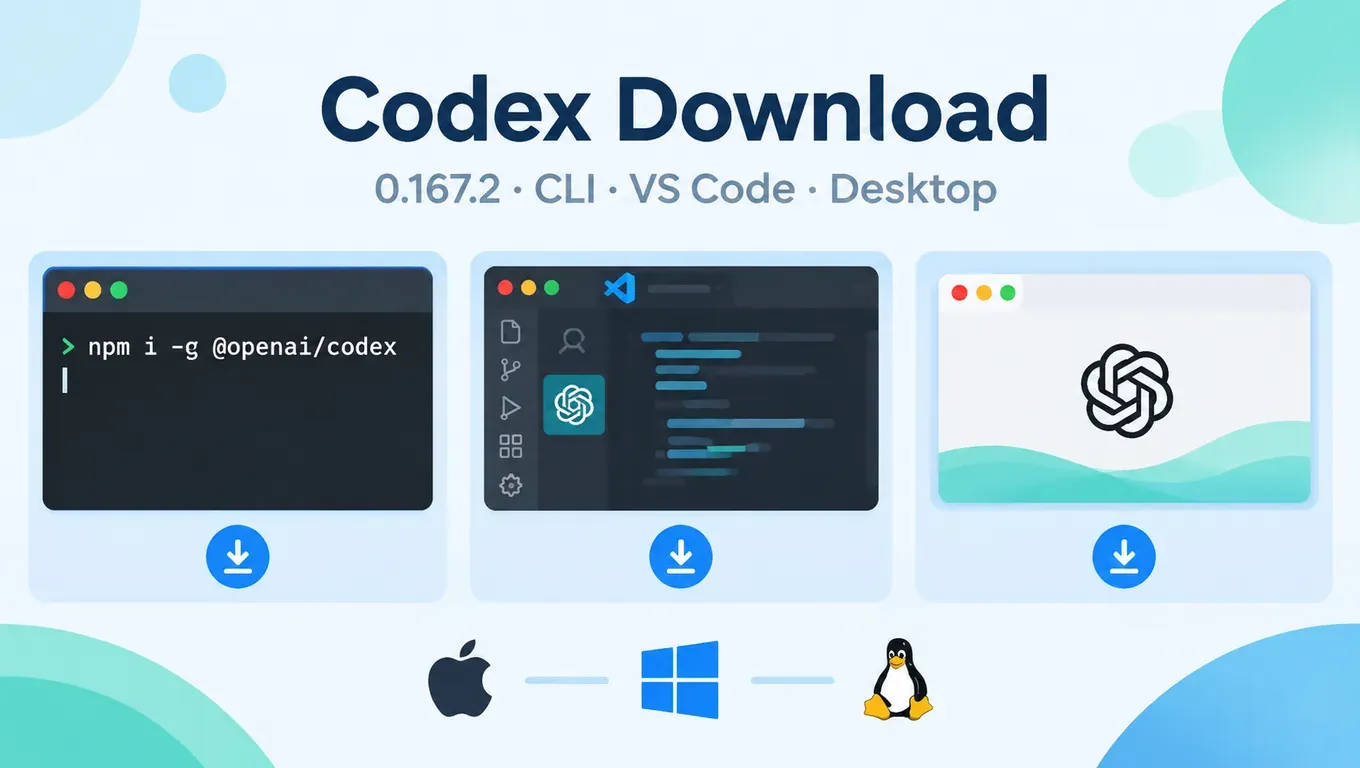
Short answer: Codex comes in three forms, and all of them are downloaded from official OpenAI channels. The terminal tool, Codex CLI, is currently at 0.167.2 (published to npm on November 12, 2026 at 06:50 Beijing time) and installs with one command, either the official install script or npm install -g @openai/codex. In editors you use the "Codex" extension from the VS Code Marketplace, published by OpenAI with the ID openai.chatgpt. The desktop version is built into the ChatGPT desktop app, which is available for macOS, Windows and Linux.
Do not download a so-called "Codex installer" from file-sharing sites or third-party mirrors. Every table and command below points to an official source, and the version numbers were checked on the day this was published.
On November 12, 2026 at 17:17 (Beijing time, UTC+8), we re-ran all four CLI download methods on a Linux x64 machine (Debian 13, Node 24.22.2, npm 11.19.1), recorded the time taken and the output of codex --version, and ran a real codex exec task with an AI Code With key. The test machine is outside mainland China, so the download times only reflect that machine's network; network tips for mainland China are further down.
At a glance: where to download each form of Codex
| Form | Official download | Current version | Best for |
|---|---|---|---|
| Codex CLI | Install script / npm @openai/codex / Homebrew / GitHub Releases | 0.167.2 | Developers who live in the terminal, write scripts or run CI |
| VS Code extension | VS Code Marketplace, extension ID openai.chatgpt | 26.51106.51428 | People who want Codex in the editor sidebar |
| Desktop app | ChatGPT desktop app (Codex built in) | See the official download page | People who prefer a GUI for several projects |
The extension version comes from the VS Code Marketplace, last updated on November 11, 2026. The CLI version comes from npm, GitHub Releases and Homebrew, and all three show 0.167.2. Official entry points: the CLI docs at developers.openai.com/codex/cli, the extension page on the VS Code Marketplace, and the desktop app at chatgpt.com/download.
Codex CLI download: pick the command for your OS
| OS | Recommended | Alternatives |
|---|---|---|
| macOS | curl -fsSL https://chatgpt.com/codex/install.sh piped to sh | brew install --cask codex, or npm |
| Linux | curl -fsSL https://chatgpt.com/codex/install.sh piped to sh | npm, or the tar.gz from GitHub Releases |
| Windows | Run install.ps1 in PowerShell | npm, or the exe / zip from GitHub Releases |
Option 1: official install script (OpenAI's first recommendation)
macOS / Linux:
curl -fsSL https://chatgpt.com/codex/install.sh | sh
Windows (PowerShell):
powershell -ExecutionPolicy ByPass -c "irm https://chatgpt.com/codex/install.ps1 | iex"
The script detects your OS and CPU architecture, downloads from releases.openai.com/codex, and falls back to GitHub Releases if that host is unreachable (we confirmed this by reading the script source). Running the same command again upgrades Codex.
Test result: the install script took 4.5 seconds, printed Resolved version: 0.167.2, installed the program into ~/.codex/packages/standalone/releases/0.167.2-x86_64-unknown-linux-musl, and added ~/.local/bin to PATH in ~/.profile. At the end it told us to run export PATH="$HOME/.local/bin:$PATH" in the current terminal; new terminals work right away. After installing, ~/.codex used about 516 MB of disk.
Option 2: npm
If Node.js is already installed, npm is the quickest route:
npm install -g @openai/codex
codex --version
The package name is @openai/codex, with the @openai/ scope. Similarly named packages on npm are not official.
Test result: with the npm cache cleared, installing from registry.npmjs.org took 3.8 seconds, printed added 2 packages, and codex --version returned codex-cli 0.167.2. The two packages are a tiny launcher plus the program package for your platform (the Linux x64 one is about 458 MB unpacked).
Option 3: Homebrew (macOS)
brew install --cask codex
The Homebrew cask is simply codex. It is currently at 0.167.2 and pulls the package straight from OpenAI's GitHub Releases; details at formulae.brew.sh/cask/codex.
Option 4: download the package from GitHub Releases
If you need an offline package, or your work machine cannot run scripts, open github.com/openai/codex/releases/latest (currently rust-v0.167.2) and pick the file for your platform:
| Platform | File name | Size |
|---|---|---|
| Apple Silicon Mac | codex-aarch64-apple-darwin.tar.gz | 108.6 MB |
| Intel Mac | codex-x86_64-apple-darwin.tar.gz | 117.9 MB |
| Linux x86_64 | codex-x86_64-unknown-linux-musl.tar.gz | 122.6 MB |
| Linux arm64 | codex-aarch64-unknown-linux-musl.tar.gz | 114.4 MB |
| Windows x64 | codex-x86_64-pc-windows-msvc.exe.zip | 206.4 MB |
| Windows arm64 | codex-aarch64-pc-windows-msvc.exe.zip | 192.0 MB |
The same page also lists files such as codex-app-server-*, codex-exec-server-* and codex-symbols-*. Those are for the desktop app, servers and debugging; for everyday use you only need the one file from the table.
Test result on Linux: downloading the 122.6 MB archive took 1.0 second and unpacked to a single file of about 320 MB, codex-x86_64-unknown-linux-musl. After making it executable, running it with --version returned codex-cli 0.167.2. Rename it to codex and put it in a directory on your PATH:
tar xzf codex-x86_64-unknown-linux-musl.tar.gz
chmod +x codex-x86_64-unknown-linux-musl
mv codex-x86_64-unknown-linux-musl ~/.local/bin/codex
codex --version
For more detailed install steps per OS (PATH, permissions, WSL), see How to Install Codex.
Codex VS Code extension download
The official extension is on the VS Code Marketplace as "Codex – OpenAI's coding agent", published by OpenAI (verified domain), with the extension ID openai.chatgpt. The current version is 26.51106.51428, with about 16.67 million installs.
- Web page: marketplace.visualstudio.com/items?itemName=openai.chatgpt
- In the VS Code Extensions panel, search for
openai.chatgptand check that the publisher is OpenAI - From the command line:
code --install-extension openai.chatgpt
According to OpenAI's IDE docs, Cursor, Windsurf and VS Code Insiders use the same extension. Xcode and JetBrains IDEs do not use this extension; you choose Codex inside their own AI assistant. After installing, click the Codex icon in the sidebar. If the icon is missing, open the Command Palette and run Codex: Open Codex Sidebar.
If the extension installs on Windows but does nothing, the official docs point to missing C++ components: install Visual Studio Build Tools (C++ workload) and the Microsoft Visual C++ Redistributable (x64), then fully restart VS Code. For connecting an API key inside the extension and troubleshooting, see Using Codex in VS Code on Windows.
Codex desktop app download
The Codex desktop app is now the ChatGPT desktop app. There is no separate program called Codex to download:
- Download the ChatGPT desktop app from chatgpt.com/download. The official desktop app docs list macOS, Windows and Linux;
- Open the app, sign in, choose Codex, click New chat, then pick a local folder to start;
- On Windows the app runs natively in PowerShell with a Windows sandbox, without WSL; details in OpenAI's Windows docs.
Verify after installing: version and duplicate installs
codex --version
which -a codex
In Windows PowerShell, use Get-Command codex -All.
If codex --version returns codex-cli 0.167.2, you have the current release. which -a shows duplicate installs: when we ran the install script on a machine that already had the npm version, it printed Detected existing npm-managed Codex and Multiple managed Codex installs can be ambiguous because PATH order decides which one runs. In other words, with one copy from npm and another from the script, your terminal runs whichever comes first on PATH, and upgrading one does not touch the other. Keep a single install method and remove the extra copy (for npm, npm uninstall -g @openai/codex).
Fixing download and install errors
npm network timeout (FETCH_ERROR / network timeout)
We reproduced this by pointing npm at an unreachable address. The output was:
npm error code FETCH_ERROR
npm error network timeout at: http://10.255.255.1/@openai%2fcodex
The address after network timeout at: is the one npm is actually trying to reach. Check that it is the registry you expect, then work through these steps:
- Check the current registry:
npm config get registry. The official one ishttps://registry.npmjs.org/; - If you need a proxy, set it for npm:
npm config set proxy http://127.0.0.1:7890andnpm config set https-proxy http://127.0.0.1:7890(use the port your proxy software shows); - On a flaky network, raise the timeout:
npm install -g @openai/codex --fetch-timeout=120000; - If it still fails, use an npm mirror (next section) or the package from GitHub Releases.
Slow downloads in mainland China: use an npm mirror
npm install -g @openai/codex --registry=https://registry.npmmirror.com
Test result: installing through npmmirror took 5.4 seconds, again with added 2 packages and codex-cli 0.167.2, so the mirror had already synced that day's release. Pass --registry like this for a one-off install. We do not recommend changing your global registry permanently, because every future install and publish would then go through the mirror. Mirrors can lag the official registry by a few hours, so compare the version with codex --version afterwards.
The official install script can also stall at the download step from mainland China. It respects system proxies: run export HTTPS_PROXY=http://127.0.0.1:7890 before curl ... | sh, or just use the npm mirror above.
EACCES: permission denied
On macOS and Linux with the system Node, the global install directory belongs to root, and a normal user gets:
npm error code EACCES
npm error syscall mkdir
npm error path /usr/local/lib/node_modules/@openai
npm error Error: EACCES: permission denied, mkdir '/usr/local/lib/node_modules/@openai'
That is the exact output we got when installing to /usr/local as a normal user on the test machine. npm's official fix is to avoid sudo and do one of two things: reinstall Node with a version manager such as nvm, or move the global directory into your home folder (npm's official guide):
mkdir -p ~/.npm-global
npm config set prefix ~/.npm-global
echo 'export PATH="$HOME/.npm-global/bin:$PATH"' >> ~/.bashrc
source ~/.bashrc
npm install -g @openai/codex
If you use zsh, replace ~/.bashrc with ~/.zshrc. If you would rather not touch npm, use the official install script: it installs into ~/.local/bin and does not need root.
Node version too old
@openai/codex declares Node 16 as its minimum on npm. We deliberately installed it with Node 14.21.3 (bundled npm 6.14.18): it took 17.4 seconds and printed a screen of npm WARN notsup Unsupported engine ... wanted: {"node":">=16"}, but still ended with added 2 packages, and codex --version returned 0.167.2. That is because Codex itself is a standalone program; Node only downloads and launches it.
So those warnings do not mean the install failed. To stay safe with future releases, install a current LTS version from nodejs.org. If you cannot install Node, use the install script or the GitHub Releases package; neither depends on Node.
Installed, but "command not found"
- Install script: run
export PATH="$HOME/.local/bin:$PATH"in the current terminal, or close and reopen it; - npm: find the global directory with
npm prefix -gand add itsbinfolder to PATH (on Windows, the directory itself); - Then confirm there is only one copy with
which -a codex.
After downloading: connect an API key and run your first task
The first time you run Codex, it asks you to choose a sign-in method. If you want one key that works across Codex, Claude Code and Cursor, or the official sign-in is hard to reach from your network, you can connect AI Code With as follows.
Step 1: sign up and create a key in the console (illustrated steps in the Create API Key docs):
Step 2: open (or create) ~/.codex/config.toml (on Windows, %USERPROFILE%\.codex\config.toml) and add the block below, replacing sk-your-key with the key you just created:
model_provider = "aicodewith"

[model_providers.aicodewith]
name = "aicodewith"
base_url = "https://api.aicodewith.ai/chatgpt/v1"
wire_api = "responses"
experimental_bearer_token = "sk-your-key"
Note that base_url ends in /chatgpt/v1. Each field is explained in the Codex config.toml guide; the alternative auth.json setup is in How to Configure a Codex API Key; proxies and CI injection are in Codex Environment Variables.
Step 3: run a small task in a project folder to verify:
codex exec --skip-git-repo-check "The add function in calc.py has a bug. Fix it, verify add(2,3) with python3 -c, then reply with a single line"
Test result: we used the freshly installed npm 0.167.2, a brand-new config directory and only the config.toml above; the test file had add deliberately written as return a - b, and we sent the same prompt in Chinese. Codex showed provider: aicodewith at startup, read calc.py, changed a - b to a + b, ran python3 -c 'from calc import add; print(add(2,3))' and got 5. Its final output (in Chinese, matching the prompt) was:
已修复,python3 -c 验证 add(2,3) = 5。
That translates to "Fixed; verified with python3 -c that add(2,3) = 5." The whole task took 13.8 seconds. A single codex exec --skip-git-repo-check "reply OK" returned OK in 2.5 seconds.
Once it works, see How to Use Codex for everyday use, and Using Codex in China for network and payment issues.
401 or 429 after connecting
401 Unauthorized: usually an incomplete key, extra spaces around it, ormodel_provider = "aicodewith"not at the top of the file. See Fixing Codex 401 Unauthorized;429 Too Many Requests: requests are too frequent or your balance has run out. See Fixing Codex 429 Too Many Requests.
FAQ
What is the latest Codex version?
As of November 12, 2026, the latest stable Codex CLI is 0.167.2 (the same on npm, GitHub Releases and Homebrew), and the VS Code extension is 26.51106.51428. Check the latest npm version any time with npm view @openai/codex version.
Which npm package is the official Codex?
@openai/codex. Install it with npm install -g @openai/codex.
Where do I download the Codex installer package?
The official packages are on GitHub Releases (github.com/openai/codex/releases). Pick the tar.gz or zip for your OS. Packages re-shared on file-sharing sites cannot be traced to their source, so do not use them.
Searching "Codex" in VS Code shows several results. Which one?
The one published by OpenAI with the extension ID openai.chatgpt.
Do I need a separate download for the desktop app?
No. The Codex desktop app lives inside the ChatGPT desktop app, so download that.
How do I upgrade Codex?
Upgrade the same way you installed: re-run the install script command; with npm, npm install -g @openai/codex@latest; with Homebrew, brew upgrade --cask codex.
Downloads are slow in mainland China. What can I do?
Add --registry=https://registry.npmmirror.com to npm (in our test the mirror already had 0.167.2), or set HTTPS_PROXY for the install script. To actually chat with models from mainland China after installing, you also need an API endpoint you can reach directly, such as AI Code With as described above.
Related reading
- How to Install Codex
- How to Use Codex
- How to Configure a Codex API Key
- Codex config.toml guide
- Codex Environment Variables
- Using Codex in VS Code on Windows
- Using Codex in China: connection problems and no overseas credit card